You’ve probably already searched for a domain name, only to discover that your first few ideas were unavailable. Finding a good domain takes more than creativity because your choice can affect branding, trust, memorability, and how people discover your website. In this guide, you’ll learn how to find domain name ideas, check availability, choose the right extension, and register your domain with confidence.
Summarize this blog post with: ChatGPT | Perplexity | Claude | Grok
Key Takeaways
- Domain names are human-readable addresses that help people reach websites without remembering IP addresses.
- A strong domain name should be memorable, easy to spell, relevant to your brand, and simple to communicate.
- Domain ideas can come from keywords, synonyms, brand concepts, combinations, and domain name generators.
- Domain availability can be checked through registrars and domain search tools before registration.
- A suitable TLD such as
.com,.org, or a relevant country-code extension can support your branding strategy. - Trademark checks are important before purchasing a domain because domain availability does not automatically mean a name is legally safe.
- After registration, you should connect your domain to hosting, configure DNS, enable HTTPS, and begin building your website.
What Is a Domain Name and How Does It Work?
A domain name is a unique, human-readable address used to access websites instead of requiring visitors to remember an IP address. For example, example.com is easier for people to remember than a numerical IP address. ICANN explains that DNS allows users to use text-based domain names instead of complicated IP addresses.
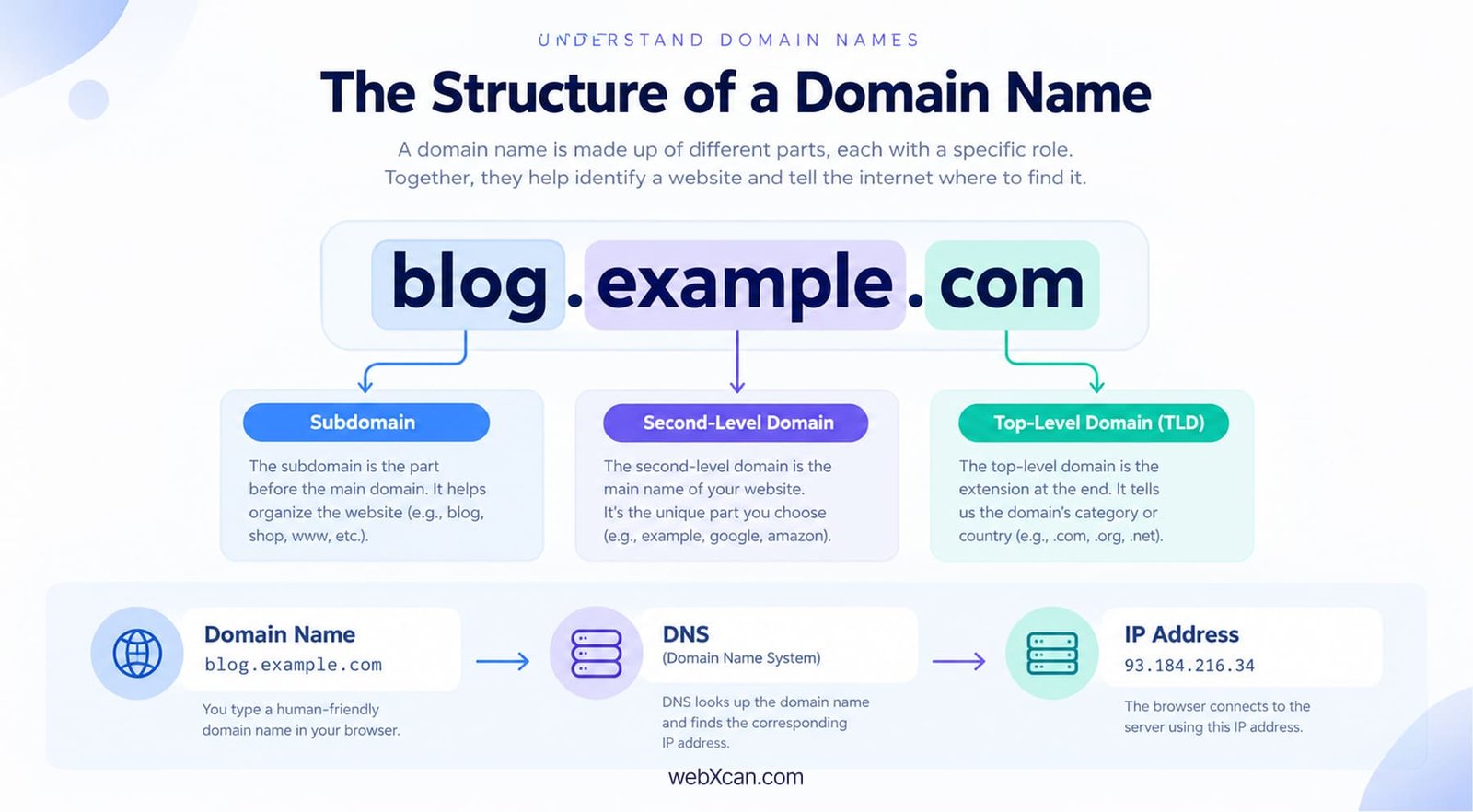
First, a domain name normally contains different levels separated by dots. In example.com, example is the second-level domain and .com is the top-level domain, or TLD. ICANN describes domain names as hierarchical structures with different levels.
For example, consider this domain:
blog.example.com
blog= subdomainexample= second-level domain.com= top-level domain
Moreover, DNS is the system that translates user-friendly domain names into IP addresses. When someone enters your domain into a browser, DNS helps locate the server associated with that domain.
A domain name is different from a complete URL. A URL can include the protocol, domain, path, and other information, such as https://example.com/blog/article.
Domain registration is the process of reserving a domain name for your use through a registrar. The registrar checks whether the requested name is available and submits the registration to the appropriate registry.
Why Is Choosing the Right Domain Name Important?
A good domain name supports your brand identity, memorability, credibility, and long-term online presence. For example, a short brand-focused name is usually easier for customers to remember and type than a long string of unrelated words.
First, your domain becomes part of your brand. People may see it on your website, social media profiles, email addresses, advertisements, business cards, and search results. That means your domain should make sense beyond the website itself.
Second, a domain can influence how trustworthy your website appears. A professional, easy-to-understand domain can make your business feel more established, while confusing spellings may create unnecessary friction.
A domain name is a branding asset, not simply a technical website address.
Moreover, domain names can contribute to SEO indirectly through brand recognition, relevance, and user experience, but you should not expect a keyword-heavy domain to automatically rank highly. Google evaluates many signals when determining search results, so domain selection should prioritize users and branding rather than keyword stuffing.
For example, a website about beginner web hosting could use a brandable name such as WebStartHub.com. A domain such as best-cheapest-web-hosting-for-beginners-online.com may contain keywords, but it is difficult to remember and communicate.
The domain industry is also highly competitive. VeriSign reported 386.9 million domain name registrations across all TLDs at the end of Q4 2025, representing a 6.2% year-over-year increase. — Source: VeriSign, 2026
How Can I Brainstorm Effective Domain Name Ideas?
Effective domain brainstorming combines brand concepts, relevant keywords, memorable words, and creative combinations. For example, a fitness website might begin with words such as fit, active, move, health, and training before combining them into potential brand names.
First, write down 10–20 words related to your project. Do not worry about availability at this stage because the goal is to create a broad list.
Try these approaches:
- Use your main topic or industry.
- Add words that describe your audience.
- Combine two short words.
- Use synonyms and related terms.
- Create a distinctive brand word.
- Consider location-based terms when appropriate.
- Test short abbreviations carefully.
Use Keywords Without Making the Domain Awkward
Keywords are words people associate with your topic, product, or service. For example, a website about UI design might brainstorm design, interface, pixel, studio, and creative.
At the same time, a domain should sound like a brand rather than a list of keywords. If adding another keyword makes the name longer or harder to remember, leave it out.
For example, instead of forcing bestwordpressuidesigneronline.com, you could develop a shorter brand concept such as WPDesignLab.com.
Combine Words to Create Creative Domain Names
Word combinations can create memorable domain ideas when the individual words are easy to understand. For example, Cloud + Nest could become CloudNest for a cloud-related project.
Moreover, say the candidate name aloud before deciding. A domain that looks good on paper can become confusing when spoken.
A memorable domain should be easy to say, spell, type, and recall.
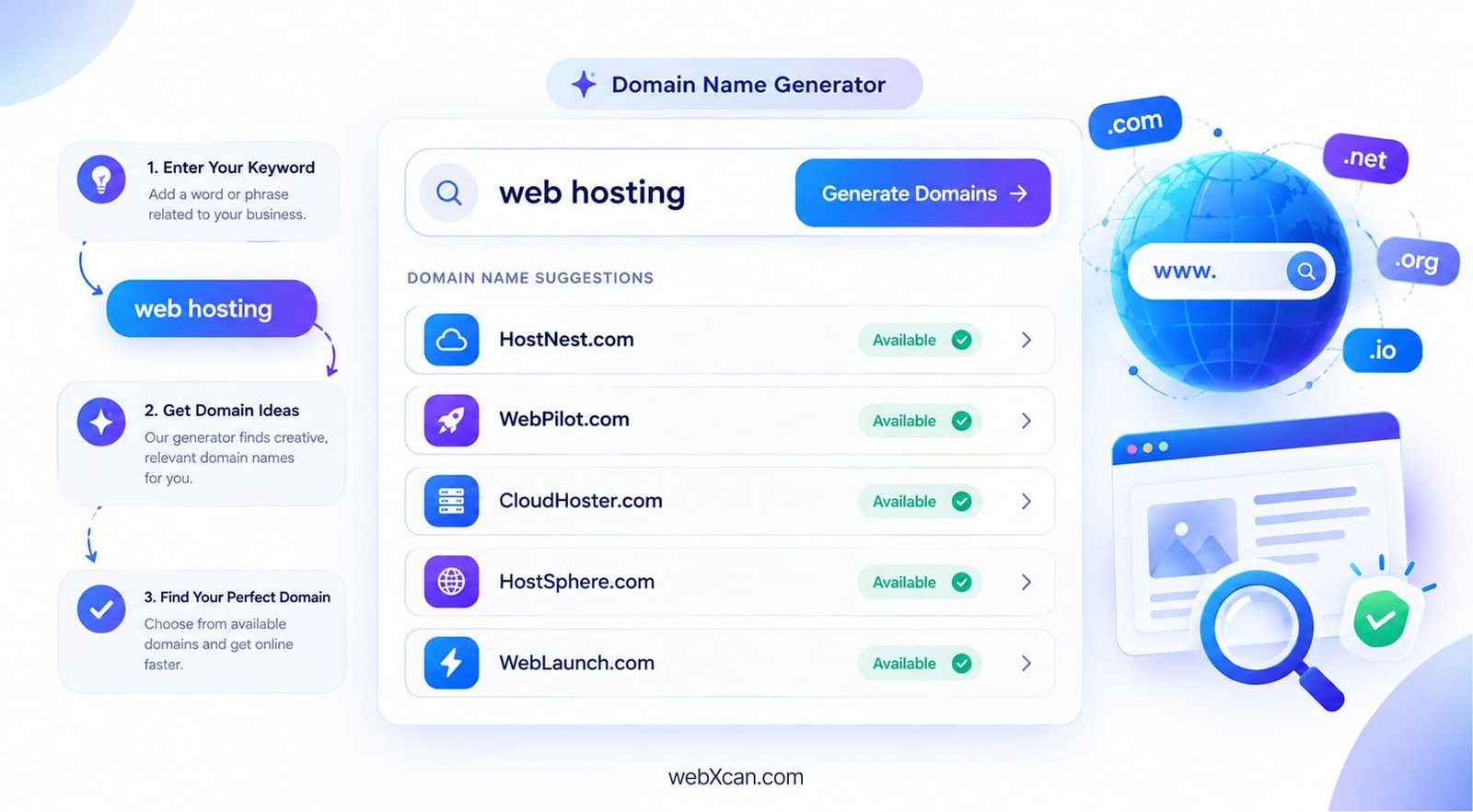
Use Domain Name Generators
A domain name generator creates potential domain ideas from keywords or concepts. Tools such as Lean Domain Search and NameMesh can help expand your brainstorming list.
For example, entering hosting and cloud can produce combinations you may not have considered manually.
However, generators should support your creativity rather than replace it. Always evaluate the resulting names for spelling, pronunciation, branding, trademark concerns, and availability.
How Do I Check If a Domain Name Is Available?
Checking domain availability means using a registrar or domain search service to determine whether a particular domain can currently be registered. For example, you can enter yourbrand.com into a registrar’s search box to see whether it is available.
First, search your preferred domain through a reputable registrar. ICANN states that generic TLD domains can be registered through ICANN-accredited registrars or their resellers.
Popular places to check include:
- Namecheap
- Hostinger
- GoDaddy
- Hosting.com
- Domain.com
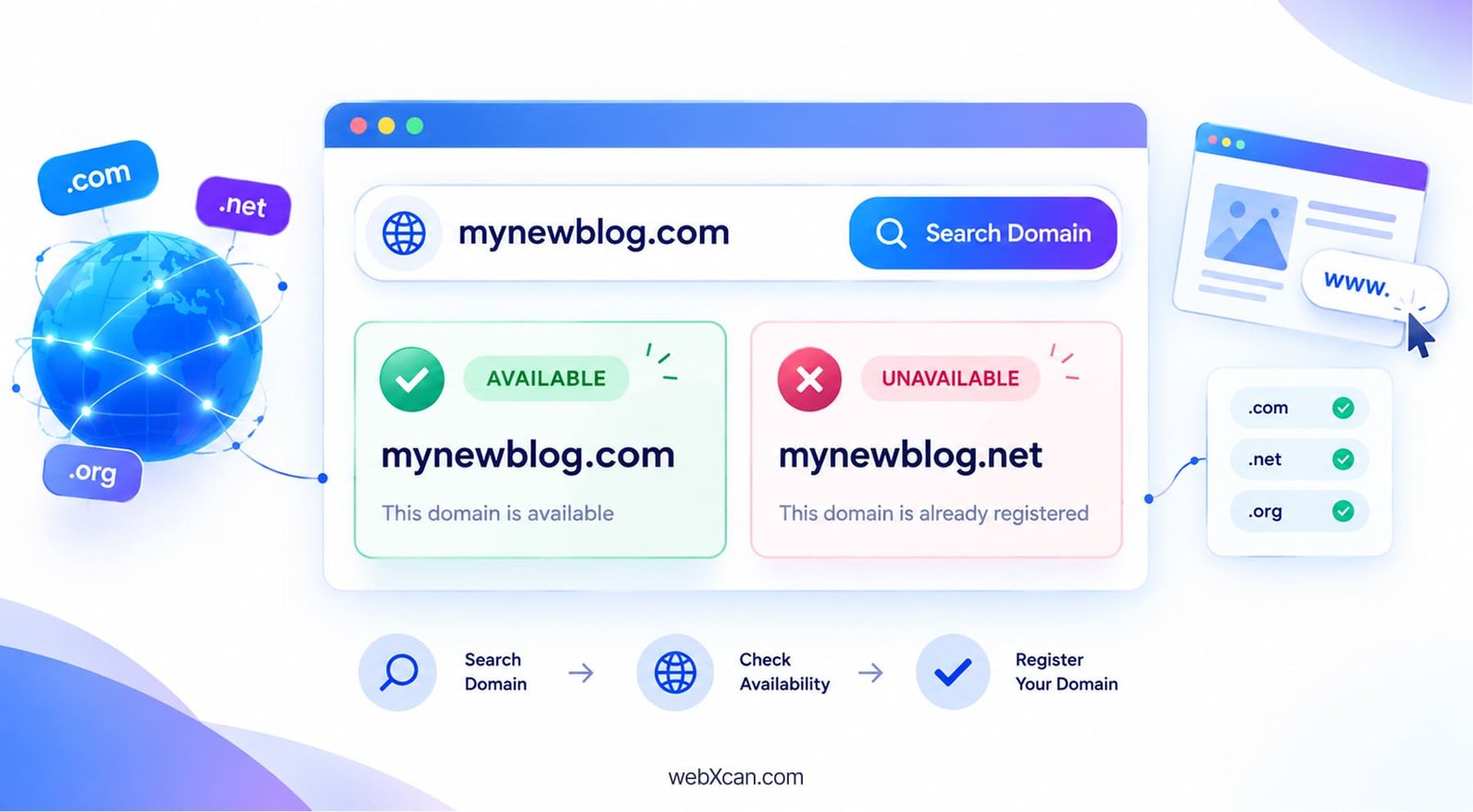
Second, do not stop at the first unavailable result. If your preferred .com is taken, consider whether a different legitimate variation makes sense.
For example:
| Original idea | Alternative | What to check |
|---|---|---|
| BrightPixel.com | BrightPixelStudio.com | Length and branding |
| FitNest.com | GetFitNest.com | Memorability |
| CloudBase.com | CloudBaseHQ.com | Brand fit |
| DesignFlow.com | DesignFlowStudio.com | Business relevance |
Moreover, you can research whether a domain is already associated with an existing business or trademark before purchasing a variation.
What Factors Should I Consider When Choosing a Domain Name?
The most important domain naming factors are simplicity, memorability, relevance, brandability, pronunciation, and legal safety. For example, BrightWeb.com is easier to communicate than a long domain containing several unrelated terms.
Keep Your Domain Short and Simple
Short domains are generally easier to remember and type. That does not mean every domain must be extremely short, but unnecessary words should be removed.
For example, ModernWebStudio.com may be easier to use than TheBestModernProfessionalWebDesignStudioOnline.com.
Avoid Confusing Numbers and Hyphens
Numbers and hyphens can create communication problems. If someone hears Design4You.com, they may wonder whether the domain uses 4 or for.
Similarly, hyphenated domains can be harder to communicate verbally.
Simple spelling reduces friction when users type your domain manually.
Think About Future Growth
A domain should ideally give your business room to expand. For example, a company that currently sells only WordPress themes may eventually offer plugins, hosting, or design services.
A very narrow domain can make that expansion harder from a branding perspective.
Check Trademark and Legal Issues
Domain availability does not automatically mean a name is legally safe to use. A domain can be available for registration while being confusingly similar to an existing trademark.
Therefore, search relevant trademark databases and investigate existing businesses before committing to a commercial domain.
Which Domain Extension (TLD) Should I Pick?
A top-level domain is the final section of a domain name, such as .com, .org, or a country-code extension. The appropriate TLD depends on your audience, organization, location, and branding strategy.
For example:
| TLD | Common use | Example |
|---|---|---|
.com |
Commercial and general websites | example.com |
.org |
Organizations and communities | example.org |
.net |
Traditionally network-related, now broader | example.net |
.io |
Common among technology brands | example.io |
| Country-code TLD | Country or regional websites | example.co.uk |
First, .com remains a highly established choice. VeriSign reported 161.0 million .com registrations at the end of 2025. — Source: VeriSign, 2026
Second, a country-code TLD can make sense when your business primarily serves a particular country. ICANN notes that country-code TLD registrations are handled through the relevant ccTLD operators.
Third, newer TLDs can work when they fit your brand naturally. However, the extension should be understandable to your intended audience.
Choose the TLD that best matches your audience and brand rather than choosing an extension solely because it is cheap.
What Common Mistakes Should I Avoid When Picking a Domain Name?
Common domain mistakes include choosing overly long names, copying another brand, relying too heavily on keywords, ignoring trademarks, and failing to consider future growth.
First, avoid making your domain unnecessarily complicated. A complicated domain creates more opportunities for spelling errors.
Second, avoid copying another company’s brand simply because a similar domain is available. Similarity can create confusion and potential legal problems.
Third, avoid assuming that an exact-match keyword domain automatically guarantees strong SEO performance. Your overall website quality, content, technical SEO, authority, and user experience matter much more broadly.
Fourth, avoid registering a domain without checking renewal pricing and registration terms. ICANN notes that registration terms, fees, transfers, and renewals are governed by your agreement with the registrar.
Finally, do not delay unnecessarily once you have found a suitable and legally appropriate domain. Someone else may register it before you do.
How Do I Register and Buy a Domain Name?
Registering a domain involves searching for an available name, selecting the registration period, providing accurate registrant information, and completing payment through a registrar.
Follow these steps:
- Choose your domain name. Select a name that fits your brand and audience.
- Check availability. Search the domain through your preferred registrar.
- Review alternatives. Consider other suitable TLDs or brand variations if necessary.
- Check trademarks. Make sure the name does not create an obvious legal conflict.
- Review pricing. Check both the initial registration price and renewal cost.
- Create your registrar account. Use accurate account and contact information.
- Complete registration. Select the registration period and pay the applicable fee.
- Enable available security features. Review account security, privacy options, and domain-lock settings.
A domain registrar is a business that coordinates the reservation of domain names. ICANN maintains information about accredited registrars and explains the relationship between registrars, registries, and registrants.
As of Q2 2026, VeriSign reported 179.1 million .com and .net domain registrations, while 12.7 million new .com and .net registrations were processed during that quarter. — Source: VeriSign, 2026
What tools can help me generate or Find Domain Name Ideas?
Domain research tools help you brainstorm names, check availability, research keywords, and investigate existing domain information. For example, a generator can produce combinations while a registrar can confirm whether a name can be registered.
Useful categories include:
- Domain generators: Lean Domain Search, NameMesh
- Registrars: Hostinger, Namecheap, GoDaddy, Domain.com
- Keyword research: Google Keyword Planner, Ubersuggest
- Domain information: ICANN Lookup and WHOIS services
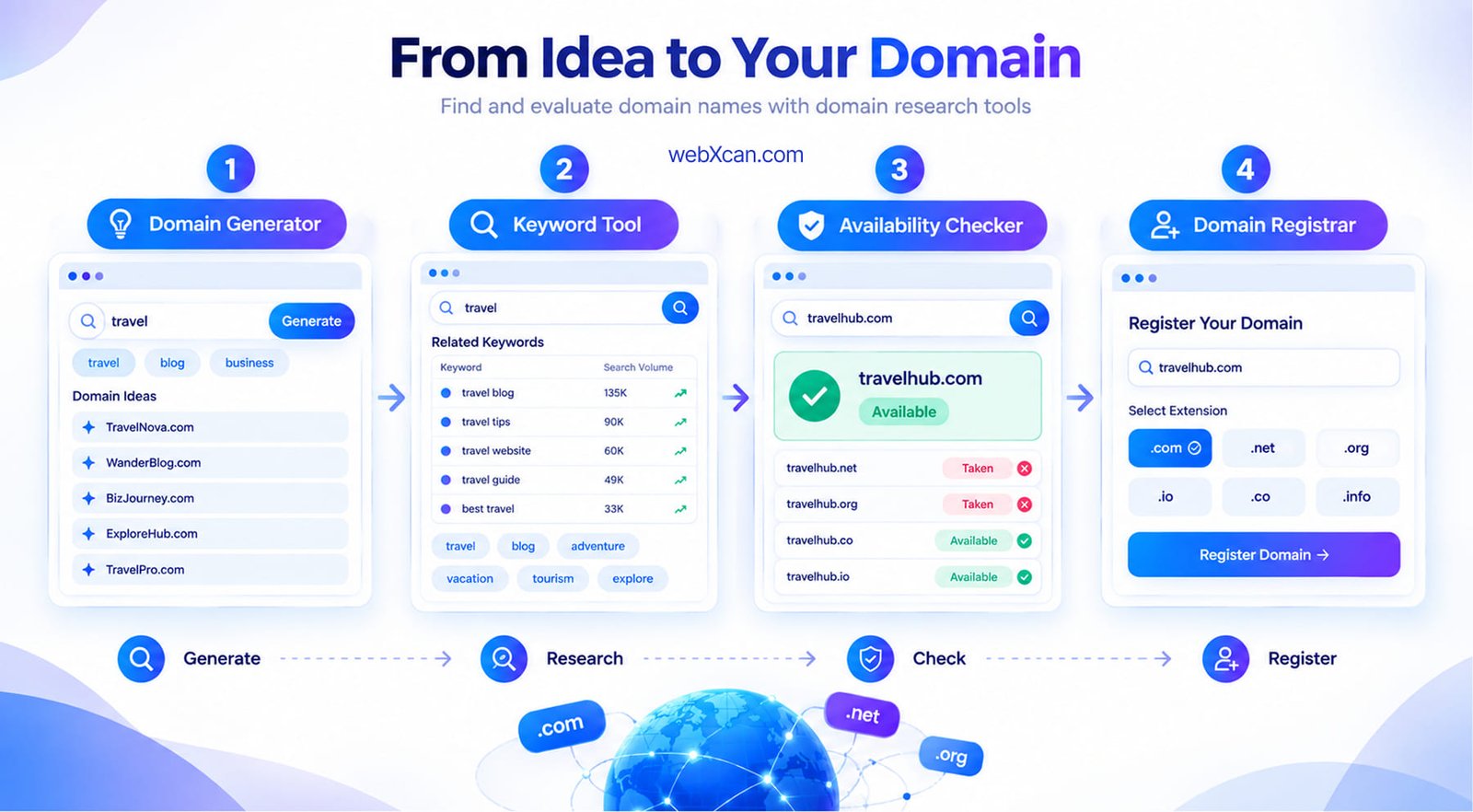
First, use keyword tools to understand the language your audience uses.
Second, use a generator to expand your ideas. Third, use a registrar to check availability. Finally, investigate trademark and business-name conflicts before registering.
This workflow prevents you from becoming attached to one idea too early.
What Are the Next Steps After Securing the Perfect Domain Name?
After securing a domain, the next steps are connecting it to hosting, configuring DNS, enabling HTTPS, and preparing your website for visitors.
First, choose a suitable web hosting service and connect the domain’s DNS records to your hosting environment. For web hosting you can check our article
- Hostinger Review for Beginners 2026: Is It the Best Web Hosting for WordPress?
- 6 Best Web Hosting for Beginners in 2027
- Hosting.com Reviews 2027
Second, enable HTTPS using an SSL/TLS certificate. HTTPS helps protect information exchanged between visitors and your website.
Third, install your website platform, configure basic SEO settings, and create essential pages such as About, Contact, Privacy Policy, and Terms.
Finally, prepare your content and marketing strategy before promoting the website.
A domain becomes valuable when you connect it to a useful website and consistent brand experience.
You should also consider performance and security before launch.
Conclusion: How to Find the Right Domain Name
Finding a domain name is the process of combining creative brainstorming with practical availability, branding, SEO, and legal checks. The strongest approach is not to chase the most keyword-heavy name but to choose something that people can easily remember, spell, pronounce, and associate with your project.
First, brainstorm multiple ideas instead of becoming attached to one name. Second, check availability through a reputable registrar. Third, evaluate the TLD, trademark situation, renewal costs, and future branding potential.
Finally, register your chosen domain, connect it to hosting, enable HTTPS, and start building your website.
Your domain is the foundation of your online identity, so choose it with both today’s project and tomorrow’s growth in mind.
Now you’re ready to find a domain name, secure the right option, and start building your online presence.