If you’re reading Hosting.com reviews before making a purchase, you’ve probably already compared pricing, features, speed, and customer ratings across a few providers. The challenge is that promotional pricing and marketing claims don’t always reveal the full long-term cost or the real day-to-day experience. This guide breaks down Hosting.com’s current plans, pricing structure, WordPress tools, performance, security, and support — plus what to check before you buy, whether you’re after cheap web hosting or a more robust setup.
Key Takeaways
- Hosting.com is the current brand of A2 Hosting, following its 2025 rebrand.
- Hosting.com offers shared hosting, WordPress hosting, servers, and other website hosting services for different needs and budgets.
- Promotional pricing and renewal pricing are different — always calculate the total cost beyond the first term.
- WordPress plans include NVMe storage, LiteSpeed, SSL, security tools, backups, staging, and free migration.
- Hosting.com advertises 24/7/365 support and a 99.9% uptime commitment on its general hosting plans.
- Customer experiences vary: Trustpilot shows a high aggregate rating, though some individual reviews mention downtime or performance issues.
- The right plan depends on your traffic, resource needs, WordPress requirements, and budget — not just the lowest advertised price.
What Is Hosting.com?
Hosting.com is a web hosting provider offering hosting for websites, WordPress projects, businesses, developers, and growing online platforms. It’s one of the more recognizable names to come up whenever people search for website hosting services, largely because of its history as A2 Hosting.
In April 2025, the company announced that A2 Hosting was becoming Hosting.com — a rebrand meant to support its broader global positioning. In practical terms, this means older A2 Hosting reviews need context: anything published before the rebrand may describe the previous branding, pricing, or experience rather than today’s platform. That’s a big part of why up-to-date Hosting.com reviews matter more than older A2 Hosting write-ups.
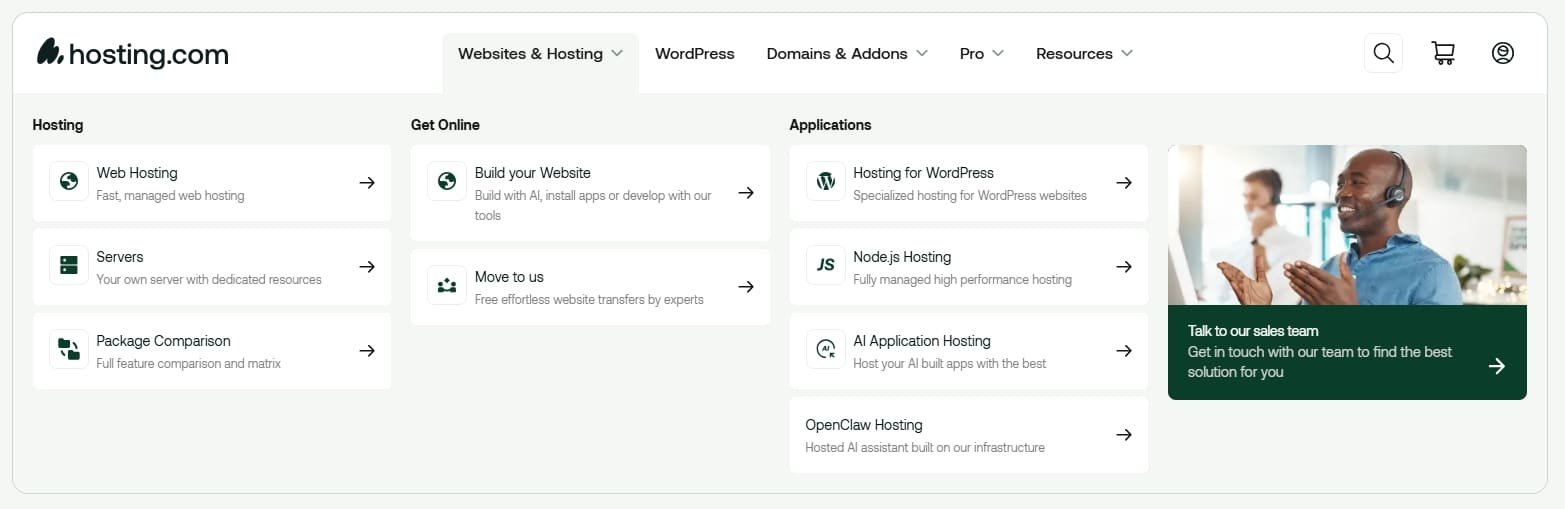
Hosting.com currently promotes several categories:
- Shared/web hosting
- Managed WordPress hosting
- VPS and managed server solutions
- Dedicated server options
- Reseller hosting
- WooCommerce-focused hosting
A beginner building a small business site may only need standard hosting, while a high-traffic WooCommerce store may need managed WordPress infrastructure or a dedicated server.
Why Hosting Choice Matters for Website Owners
Your hosting environment affects uptime, loading speed, security, scalability, and how easily you can resolve technical problems. A slow or frequently unavailable server hurts the visitor experience even on a professionally designed site.
Hosting also affects the total cost of running a website over time. A plan that looks like cheap web hosting during an introductory promotion can become considerably more expensive at renewal. Hosting.com itself explains that promotional prices run during sales periods and that plans renew at regular pricing once the prepaid term ends — so the advertised starting price should never be the only number you weigh.
How Much Does Hosting.com Cost in 2026?
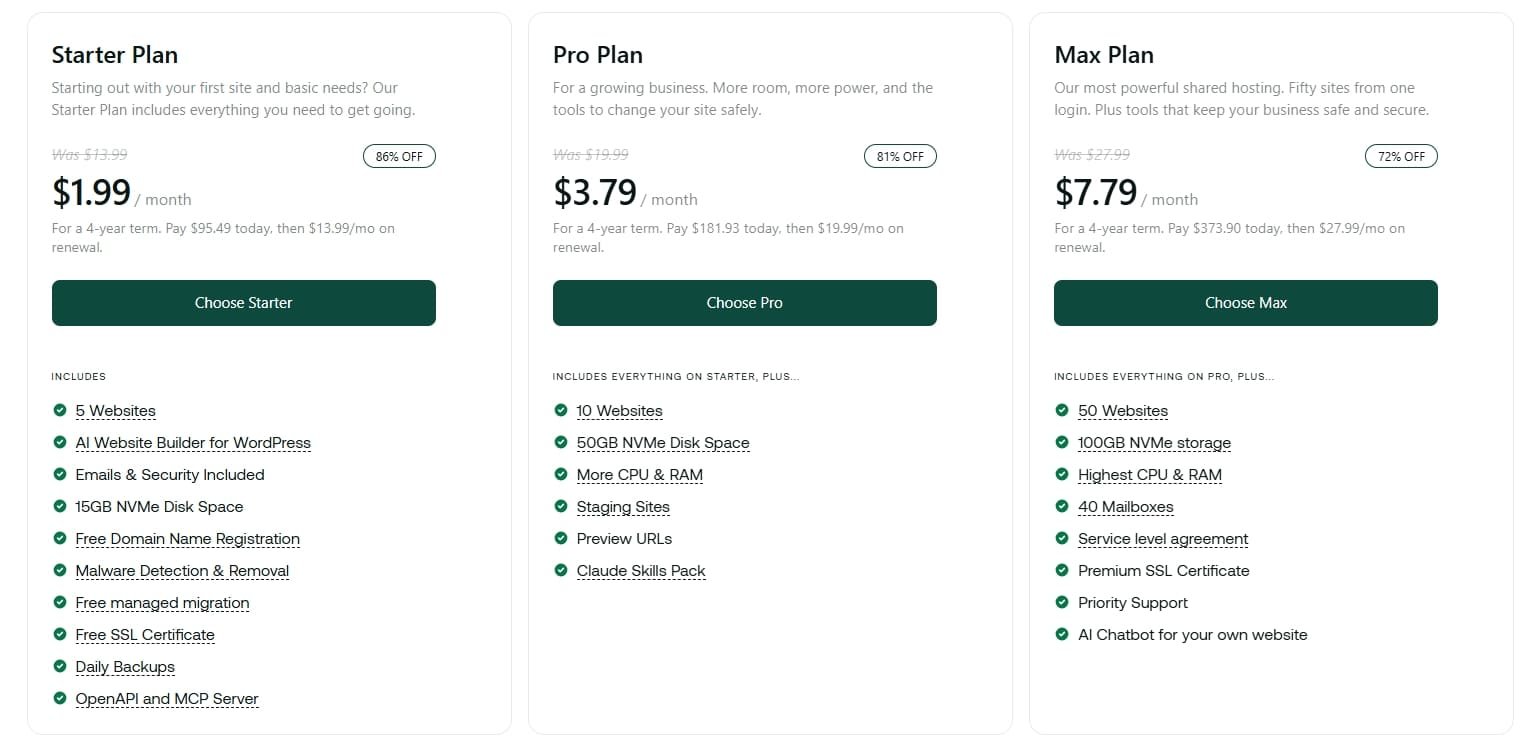
Pricing depends on the product, billing period, active promotion, and the resources bundled into a given plan. Hosting.com currently offers monthly, yearly, and longer-term billing options across its general hosting lineup.
Importantly, Hosting.com separates promotional pricing from regular renewal pricing — its official renewal-pricing page confirms that promo rates apply through the prepaid term, after which plans shift to standard pricing. If you’re comparing it against other best web hosting picks, run the math on at least a two- or three-year window rather than judging by the first invoice alone.
What to Check on the Pricing Page
| Pricing factor | What to check |
|---|---|
| Introductory price | What you pay during the promo term |
| Renewal price | What you pay after the promotion ends |
| Billing period | Monthly, annual, or multi-year commitment |
| Websites | Number of sites allowed on the plan |
| Storage | NVMe/storage allocation |
| Traffic | Capacity and resource limits |
| Backups | Frequency, retention, restoration options |
| Migration | Whether it’s included free |
| SSL | Whether it’s included |
| Support | Channels and hours available |
| Refund | Money-back eligibility and exclusions |
Hosting.com currently advertises a 30-day money-back guarantee on eligible purchases, though its service terms list exclusions such as domain-related fees and certain dedicated-server or third-party products.
What Features Does Hosting.com Include?
Feature sets vary by product, but Hosting.com’s general hosting plans advertise NVMe storage, LiteSpeed caching, unlimited databases, malware protection, free SSL, migration, AI-driven security, and a 99.9% uptime SLA.
NVMe Storage and LiteSpeed
NVMe storage is built for fast data access, and LiteSpeed can improve both server response times and caching performance — useful for a WordPress site serving a lot of cached pages. Hosting.com states its platform runs on NVMe storage with LiteSpeed caching as part of its core performance stack.
Security and Malware Protection
Built-in security features include SSL, firewall protection, and malware scanning. Hosting.com’s managed WordPress security documentation references Cloudflare Enterprise and Imunify360 as part of its protection layer. That said, hosting-level security doesn’t replace good website hygiene — keep WordPress core, themes, and plugins updated, and use strong admin credentials regardless of your host.
Backups
Hosting.com states its general hosting platform includes daily off-server backups, with restoration available to any point within the previous 30 days. Backup specifics can vary by plan, so double-check retention and restoration terms against your exact purchase — especially if you’re running an ecommerce store.
Is Hosting.com Good for WordPress Websites?
This is where a lot of shoppers land, since Hosting.com markets itself heavily around WordPress. If you’re working through a WordPress guide to pick a host, here’s what its managed plans include: one-click installation, security tools, staging, backups, and free migration.
WordPress Installation and Management
WordPress can be installed with one click, and the managed WordPress tier includes tools meant to simplify ongoing maintenance — no manual database setup or FTP uploads required for a beginner.
WordPress Performance
The managed WordPress platform runs on NVMe storage, LiteSpeed, Cloudflare Enterprise, caching, and WordPress-specific optimizations. That infrastructure matters for sites where page speed and traffic handling are a priority, but real-world performance still depends on your theme, plugins, images, database, and traffic patterns — infrastructure alone won’t fix a bloated site.
WordPress Migration
Hosting.com offers free WordPress migration and provides a temporary URL for testing before you switch your live site over, with your existing site staying online throughout the process. This is a meaningful convenience if you’re already running WordPress elsewhere and don’t want to migrate manually.
Staging and Testing
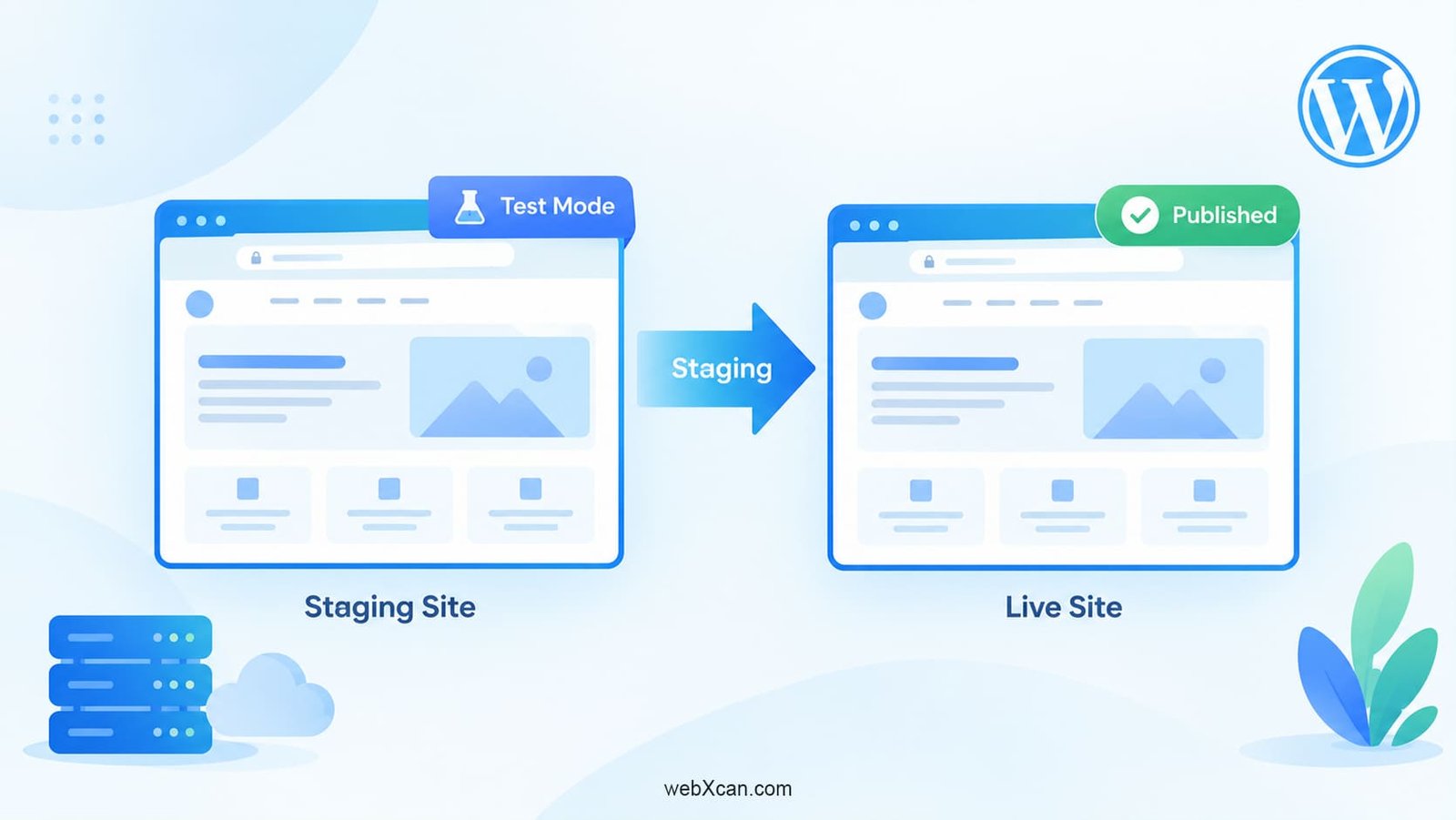
Managed WordPress hosting includes staging/development functionality, so you can test a major plugin update or theme change before pushing it live.
Cheap WordPress Hosting vs. Managed WordPress Hosting
Anyone comparing cheap wordpress hosting options should understand the trade-off: entry-level shared plans are less expensive but share server resources across many accounts, while managed WordPress plans cost more but include WordPress-specific caching, security, and staging tools built for that platform specifically. If you’re running a small blog or portfolio, a budget shared plan may be enough. If you’re running a business site, store, or anything traffic-sensitive, the managed tier is usually worth the extra cost — and it’s a common differentiator when people search for best wordpress hosting rather than hosting in general.
How Fast Is Hosting.com Hosting?
Hosting.com’s performance infrastructure includes NVMe storage, LiteSpeed caching, optimized databases, load balancing, and high-availability architecture. Its managed WordPress platform also runs on Cloudflare Enterprise with full-page caching to serve content through a global network.
Infrastructure claims alone don’t guarantee a specific loading speed for your site, though — page size, plugins, theme configuration, and visitor location all factor in. Test your actual pages with tools like Google PageSpeed Insights, GTmetrix, or WebPageTest rather than relying on spec sheets.
Does Hosting.com Have Good Uptime?
Hosting.com advertises a 99.9% uptime commitment on general hosting plans, rising to a 99.99% uptime guarantee on its managed server tier. An uptime commitment is a service-level statement, not an absolute guarantee — maintenance windows, plugin conflicts, DNS issues, and other factors can still affect availability. When comparing uptime numbers across providers, make sure you’re comparing the same hosting category (shared vs. managed server).
How Good Is Hosting.com Customer Support?
Hosting.com advertises 24/7/365 support through live chat, email, and phone. Support quality matters here because hosting problems — DNS issues, migration hiccups, server errors, WordPress configuration snags — usually need a real technical response, not a knowledge-base article.
Trustpilot currently shows Hosting.com with a 4.8/5 TrustScore across more than 7,000 reviews, with roughly 88% five-star and 7% one-star ratings. Many recent reviewers praise fast, helpful support reps, while a smaller share report downtime or performance frustrations. That spread is a good reminder that an aggregate score is one data point, not a guarantee of your own experience — which is exactly why reading current Hosting.com reviews in detail, rather than just the star rating, is worth the extra few minutes.
Who Should Consider Hosting.com?
Beginners and Bloggers
If you need an affordable environment for a small site, standard hosting with one-click WordPress installation and free migration can meaningfully reduce the technical lift — a solid entry point if you’re specifically comparing cheap web hosting providers.
Small Businesses
Focus on reliability, domain-based email, backups, and room to grow. Hosting.com bundles email with its hosting plans and offers migration and support to make onboarding easier.
WordPress Developers and Agencies
Staging environments, developer access, and migration support make it easier to manage multiple client sites, with the option to invite collaborators onto an account.
WooCommerce Websites
Stores should pay close attention to resource limits, backup frequency, security, and database performance. Hosting.com promotes WooCommerce-specific optimization and free store migrations.
High-Traffic Websites
Sites that have outgrown shared hosting may be better served by Hosting.com’s managed server tier, which offers more dedicated resources and a higher uptime guarantee.
Hosting.com Buying Checklist
Before purchasing, check:
- Renewal price — what you’ll pay after the introductory period
- Billing term — whether the advertised price requires annual or multi-year payment
- Website limits — how many sites the plan supports
- Storage — available NVMe allocation
- Resource limits — CPU, RAM, inode, database, and traffic caps
- Backups — frequency, retention, and restoration options
- Security — SSL, firewall, malware scanning
- Migration — whether your current site can move over free
- Support — channels and hours available
- Refund terms — money-back guarantee and exclusions
- Data-center location — relevant to your primary audience
- Scalability — how easily you can upgrade later
Checking these before you buy lets you compare Hosting.com against other best web hosting and best wordpress hosting contenders using real cost and resources, not just marketing copy.
How to Evaluate Hosting.com Before Buying
Start with the current official pricing page, since promotions and plan structures change. Then calculate your expected cost over at least two years, including renewal pricing and any add-ons you’ll need.
Next, test the features that matter most for your specific site — installation, staging, backups, migration, SSL, caching, malware protection, database performance, and support responsiveness. If possible, contact support with a real technical question before you buy; the quality of that response tells you a lot about what to expect as a paying customer.
Pros and Cons of Hosting.com
- ✓Strong WordPress focus — one-click installation, staging, security, backups, and free migration
- ✓Modern infrastructure — NVMe storage and LiteSpeed caching across plans
- ✓Free migration with a temporary URL for testing before going live
- ✓24/7 support via live chat, email, and phone
- ✓Scalability — an upgrade path from shared hosting to managed servers
- ✓30-day money-back guarantee on eligible products
- ✗Renewal pricing — promotional rates aren’t the long-term price
- ✗Plan-specific resource limits — these vary significantly by tier
- ✗Backup policy details — confirm retention and restoration for your exact plan
- ✗Real-world performance — test your own site rather than trusting specs alone
- ✗Individual customer experiences — aggregate ratings are positive, but not universal
- ✗Rebrand context — older A2 Hosting reviews may not reflect the current service
Conclusion: Is Hosting.com Worth Considering?
Hosting.com offers general hosting, WordPress-focused hosting, migration services, managed servers, and support for a wide range of website types. Its current platform should be judged on its own, separate from older A2 Hosting reviews, given the 2025 rebrand.
For WordPress users specifically, Hosting.com provides a genuinely broad feature set — one-click installation, staging, security, backups, and free migration — that holds up well against other best wordpress hosting options on the market. At the same time, pay close attention to renewal pricing, plan limits, backup policies, and the exact terms of the money-back guarantee before committing.
The most useful question isn’t simply whether Hosting.com is “good” or “bad” in the abstract. It’s whether a specific Hosting.com plan matches your site’s resources, traffic, technical needs, and long-term budget better than the alternatives. Read the fine print, compare renewal costs, and choose based on what your website actually needs — not just the lowest number on the page.
also you can checkout our comperision blog Hostinger vs Hosting.com