You’ve probably already installed WordPress and know that SEO matters, but choosing between the best SEO plugins for WordPress can be surprisingly confusing. Rank Math, Yoast SEO, AIOSEO, SEOPress, The SEO Framework, Slim SEO, and other WordPress SEO plugins can handle similar tasks while taking very different approaches to features, automation, pricing, and usability. In this guide, we’ll compare the leading best SEO plugins for WordPress in 2026 so you can choose one based on your website, budget, technical experience, and actual SEO requirements.
Key Takeaways
- WordPress SEO plugins simplify metadata, sitemaps, schema, redirects, and other technical SEO tasks.
- The best SEO plugins for WordPress — Rank Math, Yoast SEO, AIOSEO, SEOPress, The SEO Framework, and Slim SEO — offer different combinations of automation and advanced controls.
- The best WordPress SEO plugin for you depends on your website type, technical experience, budget, and required features.
- Free WP SEO plugins can handle many essential tasks, while advanced local SEO, WooCommerce, analytics, AI, and automation features may require paid plans.
- WordPress SEO tools do not automatically improve rankings because content quality, search intent, links, technical health, and competition also affect organic visibility.
- One primary SEO plugin is generally preferable to multiple plugins performing overlapping SEO functions.
What Is an SEO Plugin for WordPress?
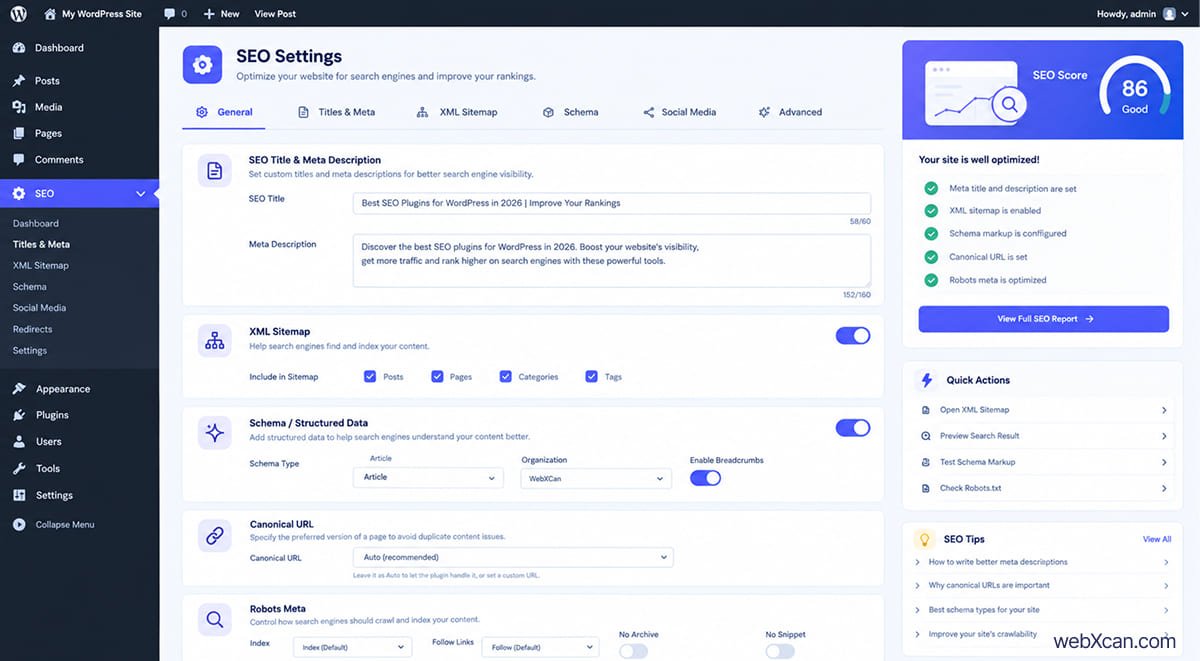
A WordPress SEO plugin helps website owners manage key search engine optimization tasks such as metadata, XML sitemaps, canonical URLs, structured data, redirects, and on-page SEO settings.
First, a WordPress SEO optimization plugin gives you controls that WordPress does not provide as conveniently through its standard editor. For example, you can create a custom SEO title and meta description without manually editing your site’s code. Some beginners search for an “SEO widget” for WordPress rather than a plugin, but the functionality they’re looking for lives in these plugins — WordPress widgets control sidebar and block placement, not search-engine metadata.
Moreover, modern WordPress SEO plugins can handle much more than title tags. Depending on the plugin, you may also get schema markup, redirect management, 404 monitoring, internal-link suggestions, image SEO, local SEO, WooCommerce SEO, analytics, and AI-assisted optimization.
For example, Rank Math currently includes features such as schema, internal-link suggestions, 404 monitoring, redirections, and WooCommerce-related settings, while AIOSEO provides tools including schema, local SEO, WooCommerce SEO, link management, redirects, and SEO audits. (WordPress.org)
Why Do You Need an SEO Plugin for WordPress?
A WordPress SEO plugin matters because it makes important SEO tasks easier to implement, monitor, and maintain without requiring you to manually edit website code.
First, WP SEO plugins simplify repetitive work such as generating XML sitemaps, controlling indexation, setting canonical URLs, and customizing search-result metadata. For example, Yoast SEO provides XML sitemap functionality and a schema framework designed to help search engines and other systems understand website content. (Yoast)
Second, an SEO plugin can help you avoid technical mistakes. Redirects, canonical URLs, robots directives, and structured data can affect how search engines interpret your pages. For example, Rank Math includes a redirection manager and 404 monitor that can be used to identify and manage broken URLs. (Rank Math)
At the same time, installing even one of the best SEO plugins for WordPress does not guarantee higher Google rankings. Rankings also depend on useful content, search intent, website performance, internal linking, external links, technical quality, competition, and the overall experience you provide.
An SEO plugin provides SEO tools; it does not replace an SEO strategy.
What Features Should You Look for in a WordPress SEO Plugin?
The most important SEO plugin features are the ones that match your website’s actual SEO workflow, rather than the plugin with the longest feature list.
First, look for these core capabilities, which most of the best SEO plugins for WordPress cover in some form:
- SEO titles and meta descriptions
- XML sitemaps
- Canonical URL controls
- Schema and structured data
- Robots meta controls
- Redirect management
- 404 monitoring
- Internal-link tools
- Image SEO
- Local SEO
- WooCommerce SEO
- Content analysis
- Google Search Console integration
- Performance and lightweight operation
- Migration tools
- Free and premium options
For example, SEOPress provides metadata controls, sitemaps, social metadata, content analysis, and technical settings in its free plugin, while its PRO version adds features such as schemas, internal-link suggestions, redirects, and additional SEO tools. (SEOPress)
Moreover, ease of use matters as much as feature count. A beginner may prefer a guided interface, while an experienced developer may want detailed control over robots directives, schema, redirects, APIs, and technical settings.
What Are the Best SEO Plugins for WordPress in 2026?
The best SEO plugins for WordPress in 2026 include Rank Math, Yoast SEO, AIOSEO, SEOPress, The SEO Framework, Slim SEO, and Squirrly SEO or another specialized alternative.
Instead of treating one plugin as universally superior, consider how each of these WordPress SEO tools approaches the job.
1. Rank Math
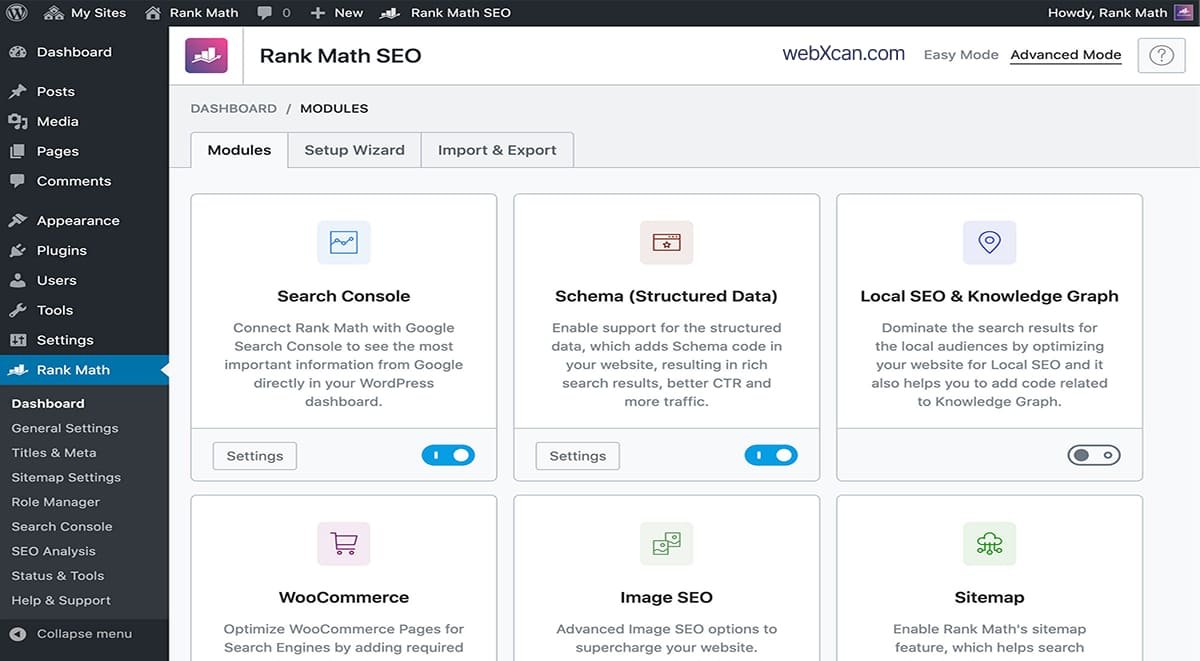
Rank Math is a feature-rich WordPress SEO plugin suited to users who want many SEO functions in one interface.
First, Rank Math provides tools for on-page optimization, schema, XML sitemaps, internal links, redirects, 404 monitoring, WooCommerce SEO, and other technical SEO tasks. Its current WordPress.org listing reports more than 4 million active installations, making it one of the most widely used WordPress SEO plugins available. (WordPress.org)
Second, Rank Math has continued adding AI-related functionality. Its September 2026 release includes MCP tools that allow AI assistants to access selected SEO information and actions, along with Content AI improvements. (WordPress)
Free version: Provides a substantial set of SEO functions.
Premium features: Expand capabilities for more advanced SEO, analytics, content, schema, and larger-scale websites.
Strengths:
- Large feature set
- Schema tools
- Redirects and 404 monitoring
- Internal-link suggestions
- WooCommerce support
- AI-related functionality
Limitations: The number of available settings can feel overwhelming if you only need basic SEO.
Ideal use case: Feature-focused blogs, affiliate websites, WooCommerce sites, and users who want extensive SEO controls.
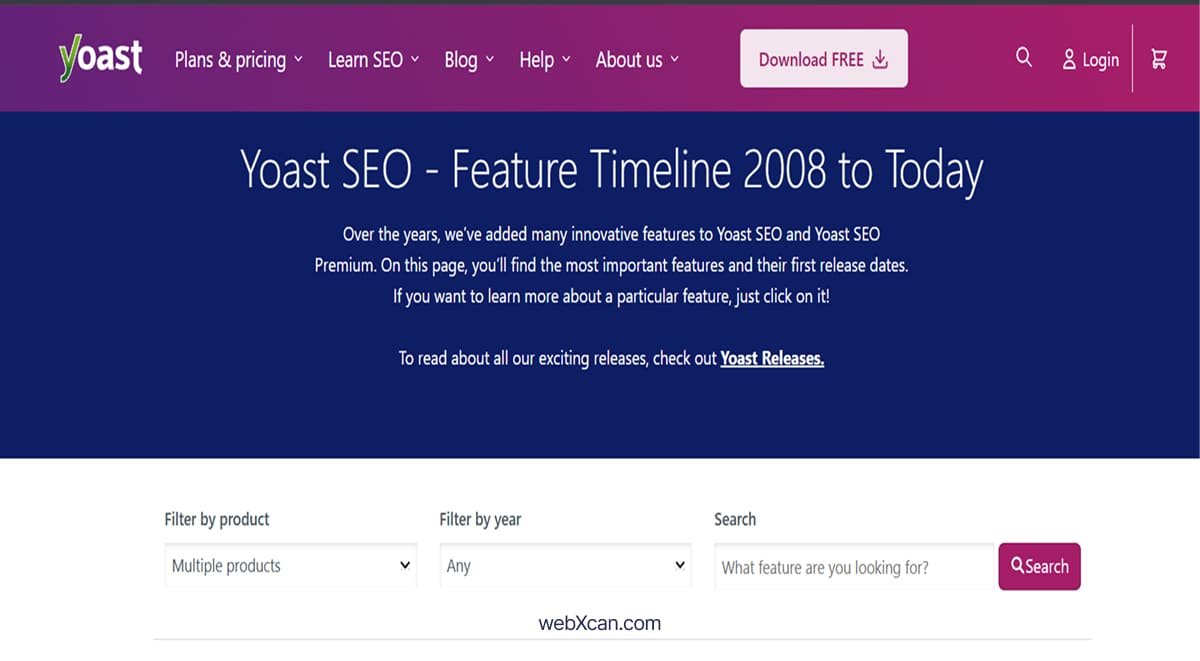
2. Yoast SEO
Yoast SEO is a mature WordPress SEO plugin focused on content guidance, technical SEO, structured data, and usability.
First, Yoast has been available since 2008, and WordPress.org currently reports more than 10 million active installations — the largest install base among the best SEO plugins for WordPress. (WordPress.org)
Second, Yoast provides SEO analysis, readability tools, XML sitemaps, structured data, internal-link tools, and other optimization features. Its current feature development also includes AI functionality and schema aggregation. (Yoast)
Free version: Covers many fundamental SEO requirements.
Premium features: Add advanced tools such as internal-link suggestions and additional AI-related capabilities.
Strengths:
- Long-established ecosystem
- Beginner-friendly workflow
- Content and readability analysis
- Strong schema framework
- Extensive documentation
Limitations: Some advanced functionality requires paid products or extensions.
Ideal use case: Beginners, bloggers, publishers, and businesses that prefer a well-established SEO workflow.
3. All in One SEO (AIOSEO)
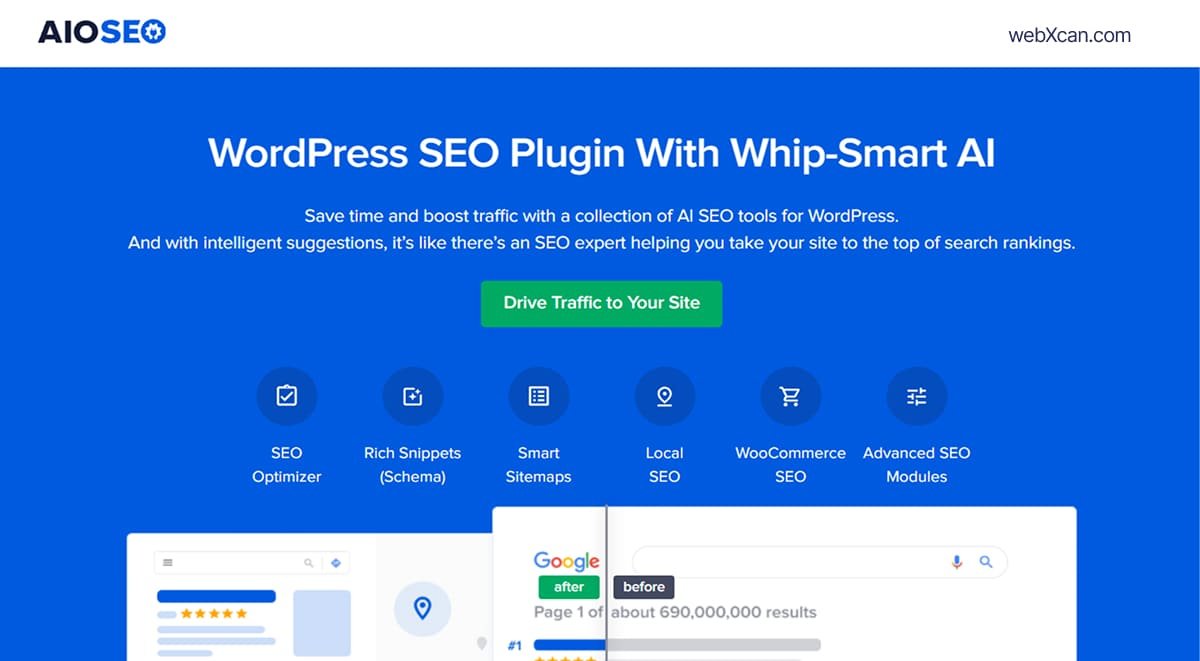
All in One SEO is a broad WordPress SEO toolkit that combines on-page optimization with technical, local, WooCommerce, and AI-related features.
First, AIOSEO currently reports more than 2 million active installations on WordPress.org. (WordPress.org)
Second, its feature set includes schema markup, local SEO, WooCommerce SEO, XML sitemaps, redirects, internal-link assistance, SEO audits, Google Search Console integration, and author SEO. (All in One SEO)
Furthermore, AIOSEO’s 2026 updates have expanded AI functionality. Version 5.0 introduced an updated TruSEO system, AI-powered optimization suggestions, spell checking, and one-click AI optimization features — the kind of automation that increasingly separates the best SEO plugins for WordPress from basic metadata editors. (All in One SEO)
Free version: Provides essential SEO functionality.
Premium features: Add advanced SEO, WooCommerce, redirects, audits, additional keywords, AI credits, and other capabilities.
Strengths:
- Broad feature set
- Local SEO
- WooCommerce SEO
- SEO audits
- Internal linking
- AI features
Limitations: The number of features may be more than a basic blog requires.
Ideal use case: Small businesses, WooCommerce stores, content-heavy websites, and users wanting an all-in-one toolkit.
4. SEOPress
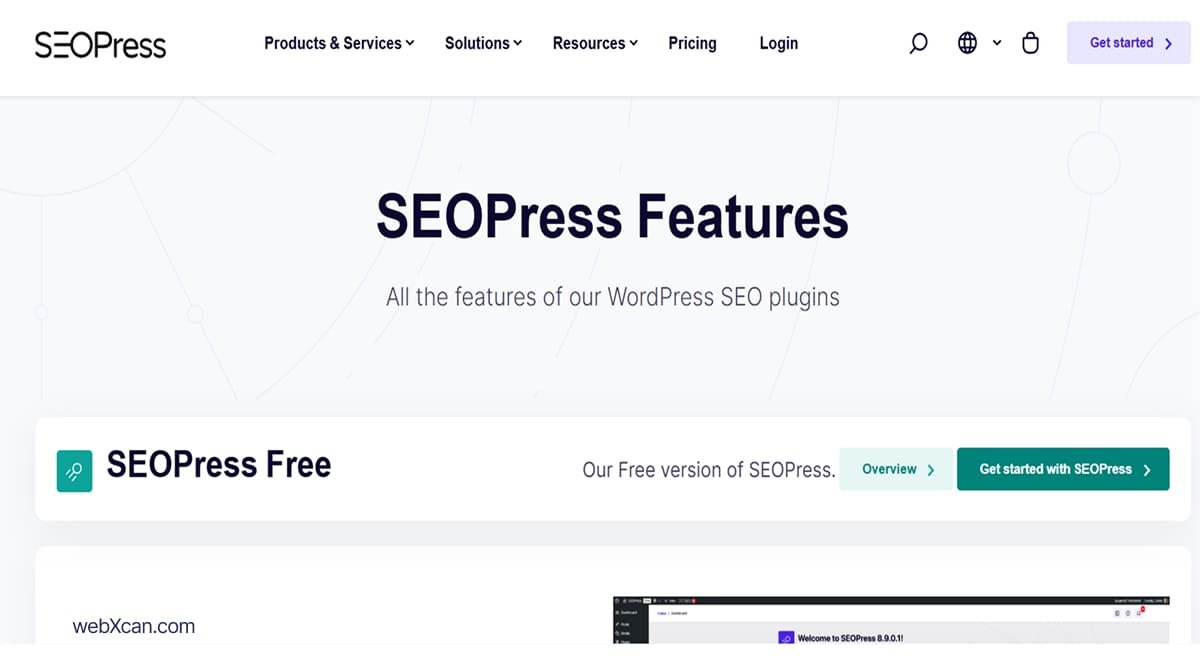
SEOPress is a modular WordPress SEO optimization plugin that combines technical SEO controls with a relatively streamlined workflow.
First, SEOPress currently reports 300,000+ active installations on WordPress.org. (WordPress.org)
Second, the plugin supports metadata, XML and HTML sitemaps, schemas, redirects, image SEO, analytics, local SEO, WooCommerce SEO, and integrations with multiple page builders. (SEOPress)
Moreover, SEOPress has introduced AI-agent capabilities through WordPress’s Abilities API and MCP support, allowing compatible AI tools to work with selected SEO data and actions. (SEOPress)
Free version: Covers many fundamental SEO functions.
PRO: Adds features such as schemas, redirects, local SEO, WooCommerce SEO, site audits, and additional integrations.
SEOPress PRO currently starts at $49 per year for one site, according to its official pricing page, which makes it one of the more affordable premium options among the best SEO plugins for WordPress. (SEOPress)
Strengths:
- Modular approach
- Strong technical controls
- Page-builder integration
- Local and WooCommerce SEO
- Competitive premium pricing
Limitations: Beginners may need more time to understand some advanced settings.
Ideal use case: Bloggers, agencies, freelancers, developers, and users wanting control without an oversized interface.
5. The SEO Framework
The SEO Framework is a lightweight-oriented WordPress SEO plugin designed around automation and a relatively unobtrusive interface.
First, WordPress.org currently reports more than 200,000 active installations. (WordPress.org)
Second, The SEO Framework provides metadata management, structured data, XML sitemap functionality, Open Graph support, and technical SEO controls. Its documentation emphasizes simple configuration and automated SEO handling, which is unusual among the best SEO plugins for WordPress — most competitors expose far more settings by default. (The SEO Framework)
Strengths:
- Lightweight approach
- Automation
- Clean interface
- Strong technical foundation
Limitations: Users seeking extensive built-in marketing, AI, or content-analysis features may prefer a larger SEO suite.
Ideal use case: Performance-focused websites, developers, and users who prefer less configuration.
6. Slim SEO
Slim SEO is designed for WordPress users who want SEO functionality with minimal configuration.
First, Slim SEO positions itself around automation and reducing the number of SEO settings that ordinary users have to configure manually. (WordPress.org)
Second, the plugin currently includes AI-powered metadata generation and bulk generation features, allowing users to create or rewrite titles and descriptions for multiple posts and terms. (WordPress.org)
Its WordPress.org changelog also shows continued development in 2026, including improvements to redirects, sitemaps, WooCommerce breadcrumbs, and security-related functionality. (WordPress.org)
Strengths:
- Automation
- Minimal configuration
- Lightweight philosophy
- AI metadata tools
Limitations: Advanced users may want more granular controls than an automation-first plugin provides.
Ideal use case: Beginners and website owners who want SEO basics without managing dozens of settings.
7. Squirrly SEO and Other Alternatives
Squirrly SEO and other specialist plugins can make sense when a particular content, keyword, or workflow requirement is more important than having a conventional all-in-one setup.
First, alternatives deserve consideration because WordPress SEO requirements vary significantly between websites. A simple blog may need metadata and sitemaps, while an agency may need advanced schema, audits, redirects, analytics, and multi-site workflows.
Second, compare the exact feature you need before switching away from one of the better-known WordPress SEO plugins. A plugin with fewer features can be a better operational fit when you do not need the additional functionality.
How Do the Best WordPress SEO Plugins Compare?
The best WordPress SEO plugins differ mainly in their approach to features, automation, technical controls, integrations, and premium functionality. The table below summarizes how the best SEO plugins for WordPress line up against each other.
| SEO Plugin | Free Version | Schema | Redirects | Internal Linking | WooCommerce | AI Features | Best Fit |
|---|---|---|---|---|---|---|---|
| Rank Math | Yes | Yes | Yes | Yes | Yes | Yes | Feature-rich websites |
| Yoast SEO | Yes | Yes | Yes* | Yes* | Extension | Yes | Beginners & publishers |
| AIOSEO | Yes | Yes | Yes* | Yes | Yes* | Yes | Businesses & stores |
| SEOPress | Yes | Yes* | Yes* | Yes* | Yes* | Yes | Flexible technical SEO |
| The SEO Framework | Yes | Yes | Via extensions/settings | Limited | Extensions | Limited | Lightweight workflows |
| Slim SEO | Yes | Yes | Yes | Automation | Yes | Yes | Simple automation |
*Availability can depend on the plugin version, premium plan, extension, or configuration.
Feature availability changes frequently, so verify the exact plan before purchasing. For example, AIOSEO’s current plans differ in site limits and advanced functionality, while SEOPress lists separate free and PRO feature sets. (All in One SEO)
Is Rank Math Better Than Yoast SEO for WordPress?
Rank Math and Yoast SEO take different approaches, so the practical choice depends on which workflow and feature set you prefer.
First, Rank Math emphasizes a broad collection of built-in SEO functions, including schema, redirects, 404 monitoring, internal-link suggestions, and AI-related tools. (WordPress.org)
Second, Yoast focuses heavily on content guidance, structured data, technical SEO, and a long-established editorial workflow. Yoast currently reports more than 10 million active installations, compared with more than 4 million for Rank Math. (WordPress.org)
Therefore, when comparing the two best SEO plugins for WordPress by install count, weigh interface, required features, free-plan limits, premium pricing, integrations, and your preferred workflow rather than choosing solely based on popularity.
What Is the Best Free SEO Plugin for WordPress?
The best free SEO plugin depends on which essential SEO functions your website needs without requiring premium extensions.
First, Rank Math, Yoast SEO, AIOSEO, SEOPress, The SEO Framework, and Slim SEO all provide free options, but their free feature boundaries differ. This is where the best SEO plugins for WordPress diverge most sharply — two plugins can look identical on a feature page and still gate very different things behind a paywall.
Second, check whether the free version covers your specific requirements for metadata, XML sitemaps, schema, redirects, WooCommerce, local SEO, and internal linking. For example, SEOPress provides titles, descriptions, sitemaps, social metadata, and other SEO functions in its free version, while more advanced features are part of PRO. (SEOPress)
Free does not automatically mean limited SEO potential. A properly configured free plugin can handle the fundamental technical SEO needs of many smaller websites.
Which WordPress SEO Plugin Is Best for Beginners?
Beginners generally benefit from an SEO plugin that explains recommendations clearly and does not require extensive technical configuration.
First, consider the interface before the feature count. A beginner who only needs titles, descriptions, sitemaps, schema, and basic content guidance may not benefit from dozens of advanced settings, even if the plugin ranks highly on most lists of the best SEO plugins for WordPress.
Second, consider documentation and migration support. Yoast, for example, provides extensive documentation and a long-established WordPress ecosystem, while Slim SEO emphasizes automated configuration for users who want fewer settings. (WordPress.org)
Which SEO Plugin Is Best for WooCommerce?
A WooCommerce SEO plugin should provide product-focused metadata, schema, indexing controls, breadcrumbs, and other ecommerce-specific optimization capabilities.
First, AIOSEO explicitly provides WooCommerce SEO functionality, including tools for optimizing products and categories. (All in One SEO)
Second, Rank Math and SEOPress also provide WooCommerce-oriented SEO functionality. SEOPress lists WooCommerce SEO among its PRO features. (SEOPress)
For example, an online store with hundreds of products may need more than a simple meta-description editor. Product schema, category optimization, canonical handling, redirects, and structured internal linking become increasingly important as the catalog grows, and only some of the best SEO plugins for WordPress handle all of them natively.
Which WordPress SEO Plugin Is Best for Small Business Websites?
Small businesses should choose an SEO plugin that combines basic on-page SEO with local search capabilities and manageable configuration.
First, local businesses often need structured information about their organization, location, contact details, opening hours, and services.
Second, AIOSEO and SEOPress both offer dedicated local SEO functionality. AIOSEO lists Local SEO as part of its feature set, while SEOPress provides Local Business schema and related local SEO tools in its PRO offering. (All in One SEO)
For example, a local restaurant can use these WordPress SEO tools to provide search engines with structured information about its business rather than relying only on the text visible on its homepage.
Which SEO Plugin Is Best for Affiliate Websites?
Affiliate websites should prioritize strong metadata controls, schema, internal linking, redirects, content optimization, and a workflow that makes publishing consistently easier.
First, internal linking becomes especially important as an affiliate site grows because product reviews, comparisons, tutorials, and informational articles can create a large content network.
Second, features such as internal-link suggestions can help identify connections between related articles. Among the best SEO plugins for WordPress, Rank Math includes link suggestions, while AIOSEO provides Link Assistant functionality. (Rank Math)
For example, an article about WordPress hosting can naturally link to related content about WordPress speed optimization on shared hosting, WordPress website UX mistakes, and best WordPress hosting.
WordPress Speed Optimization on Shared Hosting
6 Best Web Hosting for Beginners in 2026
How Do You Choose and Set Up an SEO Plugin on WordPress?
Choosing an SEO plugin starts with identifying your website’s SEO requirements before installing additional functionality.
First, follow this process once you have shortlisted the best SEO plugins for WordPress that match your site:
- Identify your SEO requirements.
- Choose one primary SEO plugin.
- Import existing SEO data if you are migrating from another plugin.
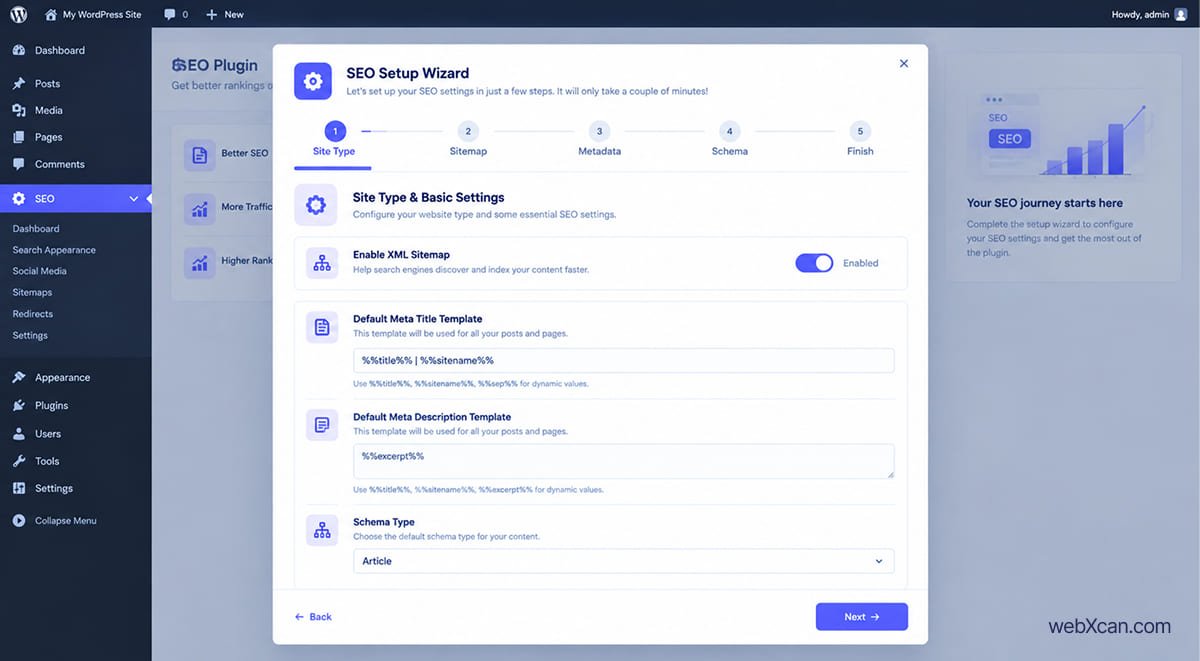
- Configure SEO titles and meta descriptions.
- Review your XML sitemap.
- Check schema settings.
- Configure redirects if your website has changed URLs.
- Connect Google Search Console where appropriate.
- Test important pages.
- Monitor indexing and search performance.
Second, avoid installing multiple full WP SEO plugins simultaneously. Running several plugins that independently generate metadata, schema, sitemaps, and redirects can create overlapping functionality and configuration conflicts.
For example, if Rank Math generates your XML sitemap and another SEO plugin generates a second sitemap system, search-engine crawling can become unnecessarily complicated.
What Should You Do After Installing a WordPress SEO Plugin?
The next step after installing an SEO plugin is improving the website itself rather than repeatedly changing plugin settings.
First, optimize your most important pages. Review titles, descriptions, headings, internal links, images, schema, and search intent.
Second, create useful content that answers real questions. Even the best SEO plugins for WordPress can only tell you that a page has a certain optimization issue — they cannot replace original information, experience, useful examples, or a strong content strategy.
Third, monitor your website through Google Search Console and other appropriate tools. Look for indexing problems, unexpected traffic changes, search queries, and pages that need improvement.
Fourth, review technical performance. Your WordPress speed optimization on shared hosting can affect user experience and should be considered alongside SEO plugin configuration.
Are WordPress SEO Plugins Worth Using?
WordPress SEO plugins are useful when they simplify SEO tasks that would otherwise require technical work or custom code.
First, they provide a centralized interface for metadata, sitemaps, schema, redirects, and other SEO functions. This can save time when managing a growing website.
Second, their value depends on how much of the functionality you actually use. A small informational website may need only basic SEO controls, while an affiliate site, business website, or WooCommerce store may benefit from more advanced WordPress SEO tools.
An SEO plugin is a tool for implementing SEO, not a substitute for SEO itself.
For example, improving an article’s search intent and usefulness can matter far more than repeatedly adjusting its SEO score inside a plugin.
What Is the Difference Between SEO Plugin Features and Actual SEO?
SEO plugin features help you implement SEO, while actual SEO includes the broader process of making a website useful, accessible, discoverable, and relevant to searchers.
First, plugin-level SEO includes tasks such as metadata, canonical URLs, schema, redirects, XML sitemaps, and robots controls.
Second, broader SEO includes content quality, topical coverage, search intent, internal links, external references, technical performance, user experience, and website authority.
For example, changing a meta description does not automatically make a weak article useful. Conversely, a well-researched article can perform strongly even when you are not constantly adjusting its plugin-generated score. This is worth remembering before you spend another week comparing the best SEO plugins for WordPress instead of publishing.
What Should You Do Next?
The most practical next step is to choose one SEO plugin and configure only the features your website actually needs.
First, if you are building a beginner blog, prioritize simple metadata, sitemap, schema, and content guidance.
Second, if you are building an affiliate website, pay particular attention to internal linking, redirects, schema, content optimization, and scalable publishing.
Third, if you operate a small business, examine local SEO and structured business information.
Fourth, if you run a WooCommerce store, compare product SEO, ecommerce schema, category optimization, redirects, and compatibility with your store’s existing tools.
Finally, if performance and simplicity are your priorities, compare lightweight or automation-focused options such as The SEO Framework and Slim SEO rather than assuming the best SEO plugins for WordPress are always the ones with the largest feature set. (WordPress.org)
Conclusion: Choose the SEO Plugin That Fits Your WordPress Site
The best SEO plugins for WordPress are simply the ones that fit your website’s requirements, technical experience, budget, and preferred SEO workflow.
First, Rank Math offers a broad feature set, Yoast SEO provides a mature content-focused workflow, AIOSEO combines SEO with business and ecommerce tools, and SEOPress offers a modular approach with strong technical controls. (WordPress.org)
Second, The SEO Framework and Slim SEO provide alternatives for users who prefer automation or a less complicated SEO experience. (WordPress.org)
Ultimately, do not choose from the best SEO plugins for WordPress simply because one has the longest feature list. Choose the plugin whose features you understand, whose workflow you can maintain, and whose pricing makes sense for your website.