
You’ve probably already noticed that cloud hosting can offer more flexibility and resources than basic shared hosting, especially as your website grows. The difficult part is knowing which provider actually gives you the right balance of performance, scalability, support, features, and long-term cost. In this guide, we’ll compare the best cloud hosting services on the market and explain which option makes the most sense for WordPress, WooCommerce, small businesses, developers, high-traffic sites, and growing websites.
Key Takeaways
- Cloud hosting uses interconnected cloud infrastructure to provide flexible computing resources and better scalability than traditional single-server hosting.
- The best cloud hosting provider depends on your traffic, technical skills, budget, website type, and expected growth.
- Managed cloud hosting services are generally easier for WordPress beginners because the provider handles much of the server administration.
- Developer-focused cloud platforms provide greater control but require more technical knowledge.
- Cloud hosting plans should be compared using resources, storage, performance, backups, security, support, data-center locations, and renewal costs.
- Cheap cloud hosting introductory prices can be substantially lower than renewal prices, so long-term cost matters when choosing a provider.
- Scenario-based recommendations are more useful than declaring one provider universally best.
What Is Cloud Hosting and How Does It Work?
Cloud hosting is a type of web hosting that uses interconnected virtual and physical servers to deliver website or application resources. Instead of depending entirely on one physical server, cloud infrastructure can pool resources across a network, which improves flexibility and makes scaling easier. Google Cloud similarly describes cloud hosting as using virtual servers spread throughout the cloud and pooling resources from physical and virtual infrastructure.
Moreover, the best cloud web hosting setups can provide scalability, flexibility, and reliability because resources can be adjusted as demand changes. For example, a growing WooCommerce store may need considerably more computing resources during a major promotion than it needs on a normal weekday.
How Is Cloud Hosting Different From Shared Hosting?
Cloud hosting generally provides more flexible resources and scalability than shared hosting. Shared hosting places many websites on a shared hosting environment, while cloud hosting can distribute workloads across cloud infrastructure.
For example, a small blog with predictable traffic may work perfectly well on shared hosting, while a business website experiencing regular traffic spikes may benefit from cloud infrastructure.
At the same time, shared hosting is usually simpler and cheaper, so upgrading to cloud hosting only makes sense when your website actually needs the additional resources.
How Is Cloud Hosting Different From VPS Hosting?
A VPS provides an isolated virtual server environment, while cloud hosting can distribute resources across a broader cloud infrastructure. A traditional VPS can still be powerful, but its architecture and scaling options depend on the provider.
For example, DigitalOcean describes its Droplets as Linux-based virtual machines that can operate individually or as part of larger cloud infrastructure — a solid example of what a best cloud server setup looks like for developers who want raw compute without the overhead of a fully managed stack.
As such, the difference is not simply “cloud versus VPS.” Many cloud providers actually deliver VPS-like virtual machines as part of their cloud infrastructure.
Why Does Cloud Hosting Matter for Growing Websites?
Cloud hosting matters because it allows websites to handle changing resource requirements more flexibly. Google Cloud identifies scalability, flexibility, reliability, performance, security, and resource adjustment among the major advantages of cloud hosting.
First, scalability is important when traffic changes unexpectedly. For example, an affiliate website may receive normal traffic for most of the month but experience a major increase after a product goes viral.
Second, cloud infrastructure can reduce dependence on a single physical server. If properly designed, workloads can be distributed or moved across infrastructure, helping improve resilience.
Moreover, modern cloud infrastructure can support global delivery through CDNs and distributed networks. Cloudflare currently operates data centers in more than 330 cities, illustrating how distributed infrastructure can bring services closer to users.
Cloud hosting is therefore particularly useful for:
- Growing WordPress websites (a common entry point into cloud hosting for WordPress)
- WooCommerce stores
- Affiliate websites
- SaaS applications
- High-traffic blogs
- Business websites
- Developer projects
- Websites expecting rapid growth
What Features Should the Best Cloud Hosting Provider Offer?
The best cloud hosting provider should offer sufficient resources, reliable infrastructure, scalability, security, backups, useful management tools, and support that matches your technical ability. A low introductory price is not enough to determine whether a cloud plan is good value — this is especially true when comparing cheap cloud hosting deals that look identical on the surface but differ once you factor in renewal pricing and support quality.
CPU, RAM, Storage, and Bandwidth
CPU and RAM determine how much computing capacity your website can use, while storage determines how much data you can store. For example, a WooCommerce store with a large product catalog and many simultaneous visitors may require considerably more resources than a five-page company website.
Look for:
- Adequate CPU allocation
- Sufficient RAM
- SSD or NVMe storage
- Appropriate bandwidth or transfer limits
- Easy resource upgrades
Scalability and Data-Center Locations
Scalability allows you to increase resources as your website’s requirements grow. For example, Hostinger currently advertises cloud plans with the ability to add capacity as traffic grows and provides multiple data-center regions.
At the same time, choosing a data center geographically close to your primary visitors can help reduce latency.
Security, Backups, and Reliability
Cloud hosting should include practical security and backup features rather than leaving every protection task to the website owner. Important features include SSL certificates, malware protection, DDoS protection, automated backups, firewalls, and account security.
For example, Hostinger’s current cloud offering includes daily backups, DDoS protection, SSL, malware scanning, and Cloudflare-protected nameservers.
Managed vs. Unmanaged Cloud Hosting
Managed cloud hosting services reduce the technical work required to operate the server, while unmanaged cloud hosting gives experienced users greater control. Beginners often benefit from managed cloud web hosting because the provider handles more server administration on their behalf.
For example, Hostinger positions its cloud hosting as fully managed, while DigitalOcean Droplets are more infrastructure-oriented and give developers direct control over virtual machines.
What Are the Best Cloud Hosting Providers in 2026?
The best cloud hosting provider depends on your website’s requirements rather than one universal ranking. The following best cloud hosting companies represent different approaches, from beginner-friendly managed hosting to developer-focused cloud infrastructure.
| Provider | Best For | Management | Starting Price* | Main Strength |
|---|---|---|---|---|
| Hostinger | WordPress, small businesses, growing sites | Managed | $7.99/mo | Ease of use and value |
| Cloudways | Managed WordPress and applications | Managed | $11/mo | Flexible cloud infrastructure |
| DigitalOcean | Developers | Self-managed | From $4/mo | Control and predictable infrastructure |
| SiteGround | WordPress users | Managed | Varies | WordPress-focused tools |
| DreamHost | Developers and flexible workloads | Mixed | Varies | Cloud flexibility |
| AWS | Advanced and enterprise projects | Technical | Usage-based | Massive infrastructure ecosystem |
*Prices and features can change. Check the provider’s current pricing before purchasing.
1. Hostinger — Best Cloud Hosting for Most Growing Websites
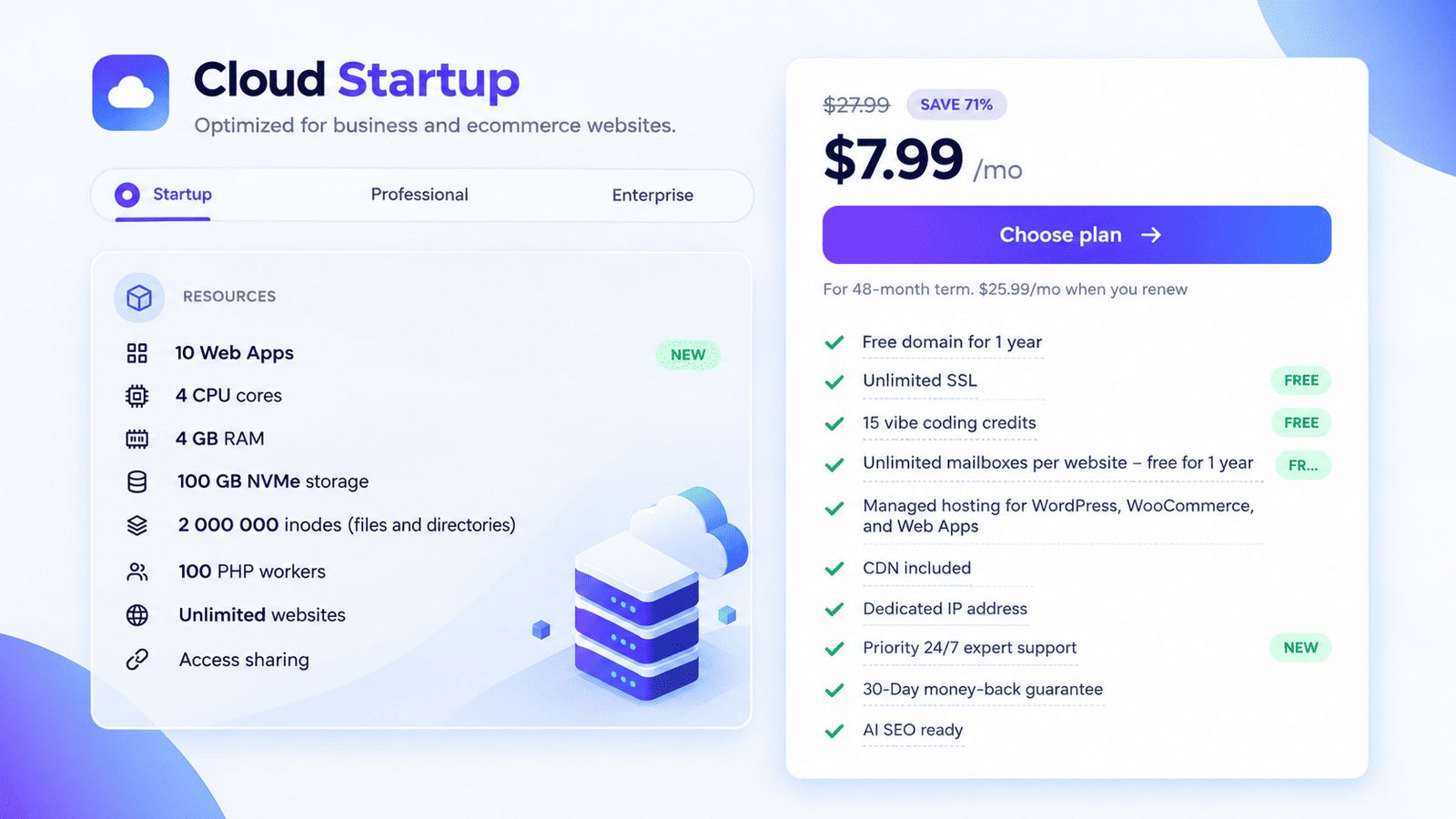
Hostinger is a strong choice for users who want managed cloud hosting without managing a server themselves. Its current Cloud Startup plan lists 4 CPU cores, 4 GB RAM, 100 GB NVMe storage, CDN integration, automated backups, a dedicated IP, and 24/7 priority support. The advertised introductory price is $7.99/month for a 48-month term, with renewal shown at $25.99/month — making it one of the more approachable cheap cloud hosting options for beginners, provided you plan ahead for renewal costs.
For example, a growing WordPress site or affiliate website can get more resources without moving immediately to a fully self-managed VPS, which is why it’s frequently recommended for cloud hosting for WordPress.
The main advantage is simplicity. The main limitation is that promotional pricing requires careful comparison with renewal pricing. Check our detailed blog about Hostinger Hostinger Review for Beginners 2026
2. Cloudways — Best Managed Cloud Platform for Flexible Projects
Cloudways is a strong option for users who want managed cloud infrastructure with more flexibility than traditional shared hosting. Its current Flexible plans allow customers to select cloud infrastructure and resources, with a displayed entry plan of $11/month for 2 GB RAM, 1 vCPU, 50 GB storage, and 2 TB transfer.
Moreover, Cloudways offers features such as vertical scaling, managed migrations, staging, caching, firewall protection, and WordPress-focused tools — a good fit for anyone comparing managed cloud hosting services for demanding sites.
For example, an agency managing several demanding WordPress websites may prefer this approach when it wants managed infrastructure without operating servers completely alone.
3. DigitalOcean — Best Cloud Hosting for Developers
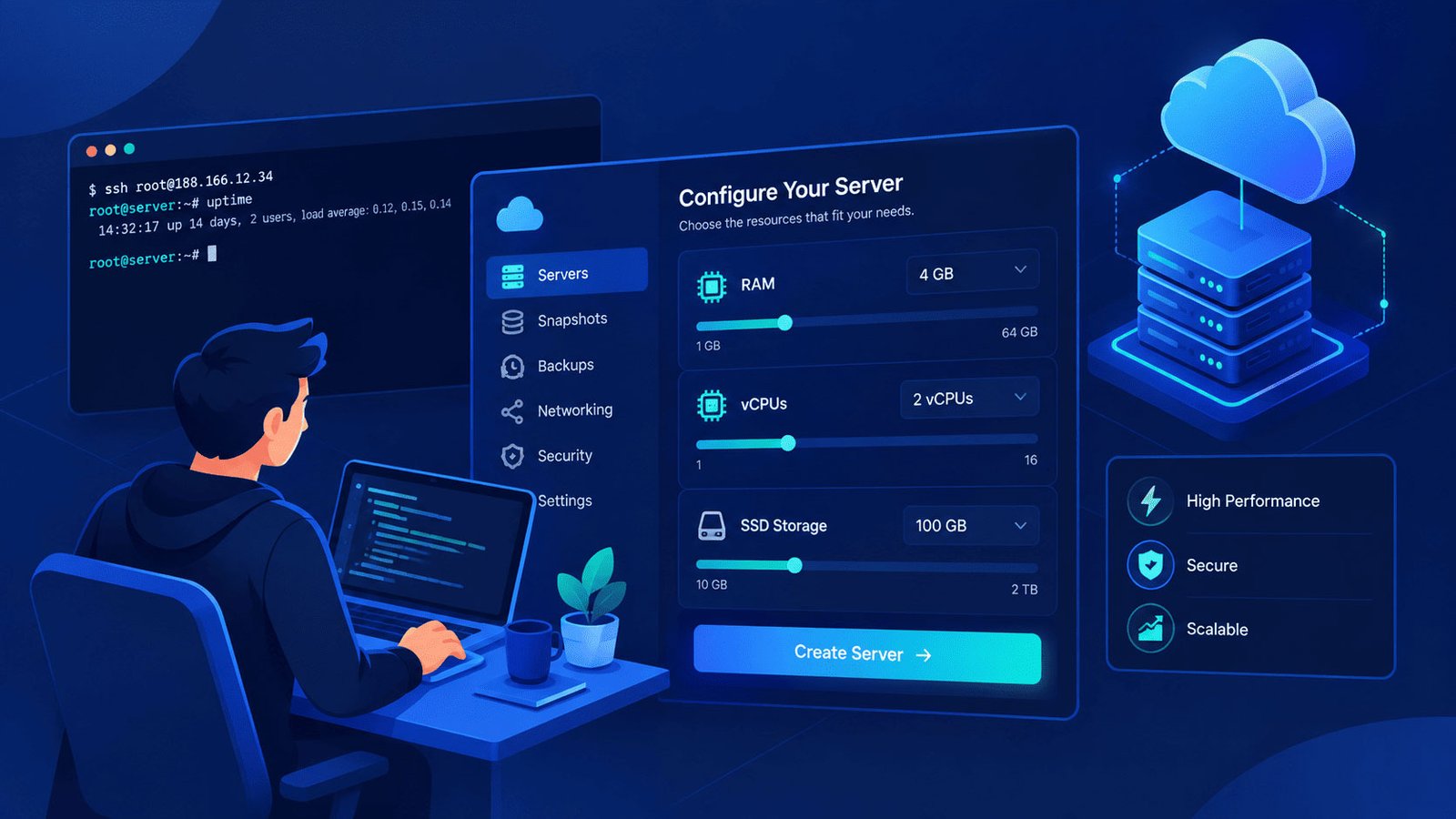
DigitalOcean is better suited to technically capable users who want direct control over cloud virtual machines. Its current Basic Droplets start at $4/month for 512 MiB RAM, 1 vCPU, 10 GB SSD, and 500 GiB transfer, making it one of the most accessible entry points if you’re after a best cloud server on a tight budget. A 2 GB RAM, 1 vCPU configuration is listed at $12/month.
Furthermore, DigitalOcean introduced per-second Droplet billing in 2026, with a minimum charge of 60 seconds or $0.01.
For example, a developer building a custom application can configure a server environment precisely rather than relying on a simplified WordPress control panel.
The trade-off is management responsibility. You need more technical knowledge for updates, security, configuration, and troubleshooting.
4. SiteGround — Best for WordPress-Focused Users
SiteGround is worth considering when WordPress management, support, and performance tools are higher priorities than raw infrastructure control. It is frequently positioned as a WordPress-focused managed hosting provider, making it more suitable for users who want a simpler experience.
For example, a business owner who does not want to administer Linux servers may prefer a managed environment over a developer-oriented cloud VM.
5. DreamHost — Best for Flexible Cloud Workloads
DreamHost can be useful for users looking for cloud infrastructure alongside traditional hosting services. Its cloud offering is more relevant to users who want flexibility for development and application workloads rather than simply purchasing the cheapest WordPress package.
For example, developers can consider cloud infrastructure when a project requires more control than conventional shared hosting provides.
6. AWS — Best for Advanced and Enterprise Architectures
AWS is best suited to organizations that need a broad cloud ecosystem and advanced infrastructure options. AWS provides extensive services for computing, databases, storage, networking, security, and application architecture.
However, AWS is not automatically the best choice for a normal WordPress website. The flexibility comes with additional complexity, and inexperienced users can find infrastructure management significantly more difficult than managed WordPress hosting.
Which Cloud Hosting Is Best for Different Types of Websites?
The right cloud host depends on the website’s workload, technical requirements, budget, and management preferences. A practical scenario-based selection is more useful than choosing a provider simply because it ranks first on a generic list of best cloud hosting companies.
| Website Type | Recommended Choice | Why |
|---|---|---|
| WordPress blog | Hostinger | Managed and easy to use |
| Affiliate website | Hostinger | Good balance of resources and simplicity |
| WooCommerce | Hostinger / Cloudways | Managed performance and scalability |
| Small business | Hostinger / SiteGround | Easy management |
| High-traffic WordPress | Cloudways | Flexible managed infrastructure |
| Developer project | DigitalOcean | Greater server control |
| Enterprise application | AWS | Broad infrastructure ecosystem |
| Growing website | Hostinger / Cloudways | Easier scaling |
Which Cloud Hosting Is Best for WordPress?
Hostinger and Cloudways are particularly suitable for WordPress users who want managed cloud infrastructure. Hostinger provides managed WordPress tools, CDN integration, backups, and support, while Cloudways focuses heavily on managed cloud applications — both are strong picks when you’re specifically shopping for cloud hosting for WordPress.
For more information, see our [Internal link: “best web hosting for WordPress” → suggested WordPress hosting guide].
Which Cloud Hosting Is Best for Developers?
DigitalOcean is a strong choice for developers who value infrastructure control and straightforward cloud virtual machines. Its Droplets support multiple configurations, SSD storage, networking options, and one-click applications including WordPress.
For example, developers can deploy a custom Linux environment instead of being restricted to a simplified hosting dashboard.
What Tools Make Cloud Hosting Easier to Manage?
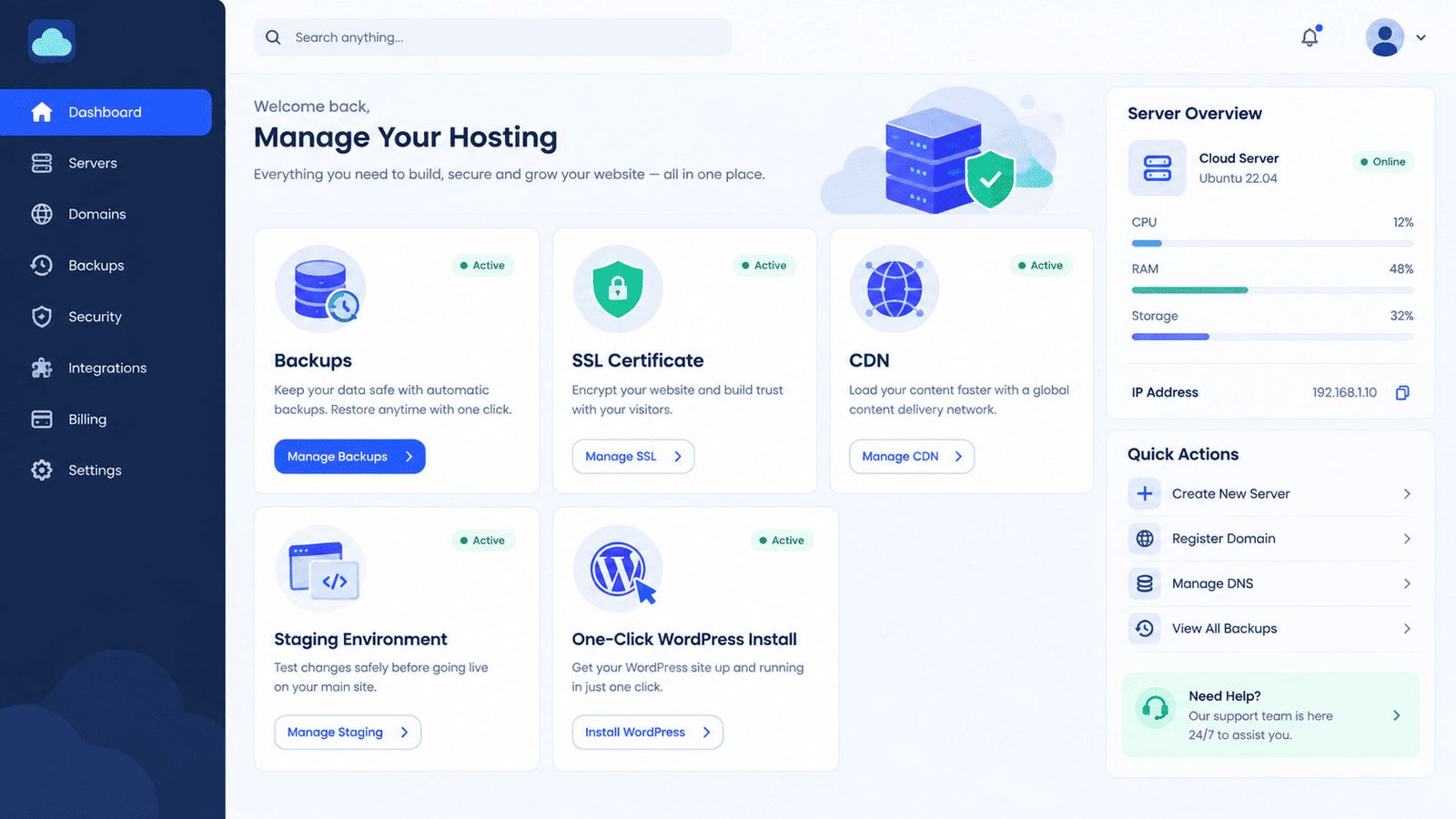
The right management tools can make cloud hosting dramatically easier for beginners and developers. Important tools include:
- Control panels
- One-click WordPress installation
- Staging environments
- Automated backups
- Free SSL
- CDN integration
- Caching
- Malware scanning
- Migration tools
- SSH access
- Git
- WP-CLI
- APIs
- Multiple PHP versions
First, beginners should prioritize automatic backups, staging, SSL, migration assistance, and an easy control panel. For example, a WordPress beginner benefits more from one-click installation and automated backups than from advanced server networking controls — which is exactly what good managed cloud hosting services are designed to simplify.
Next, developers should prioritize SSH, Git, APIs, configurable server resources, and infrastructure automation. DigitalOcean’s current platform is an example of a cloud environment designed around this type of control.
For more WordPress performance guidance, read our WordPress Speed Optimization on Shared Hosting
How Much Does Cloud Hosting Cost?
Cloud hosting can cost anywhere from a few dollars per month for basic cloud virtual machines to hundreds of dollars for advanced managed infrastructure. Pricing depends heavily on resources, management, traffic, storage, and the provider’s billing model.
For example, DigitalOcean currently lists basic Droplets from $4/month, while Cloudways lists a managed Flexible plan starting at $11/month. Both illustrate how cheap cloud hosting can still deliver decent resources at the entry level.
Meanwhile, Hostinger’s current Cloud Startup promotional rate is $7.99/month, but its displayed renewal price is $25.99/month after the initial 48-month term.
As such, always calculate your first-year or initial-term cost and renewal cost separately before buying.
Is Managed Cloud Hosting Worth It for Beginners?
Managed cloud hosting services are usually worth considering for beginners who want cloud-level resources without becoming server administrators. The provider handles many operational tasks, allowing you to focus on your website instead of Linux configuration and server maintenance.
For example, a WordPress blogger may want automatic backups, managed updates, migration assistance, security tools, and support rather than spending hours configuring a cloud server.
At the same time, experienced developers may prefer unmanaged infrastructure because it offers greater control and customization.
What’s Next? How Should You Choose a Cloud Hosting Provider?
You should choose a cloud hosting provider by matching resources, management level, performance requirements, support, security, and long-term cost to your website.
Use this process before purchasing:
- Estimate your current traffic. Identify normal and peak visitor levels.
- Estimate future growth. Consider traffic increases over the next 12–24 months.
- Choose your management level. Select managed cloud web hosting if you do not want server administration.
- Compare resources. Check CPU, RAM, storage, and bandwidth.
- Check the data-center locations. Choose locations appropriate for your target audience.
- Review backups and security. Confirm how backups, malware protection, SSL, and disaster recovery work.
- Calculate renewal pricing. Do not compare providers using promotional prices alone.
- Check migration options. Free or assisted migration can significantly reduce switching costs.
- Start with the right plan. Avoid paying for resources your website does not currently need.
Conclusion: What Is the Best Cloud Hosting for You?
The best cloud hosting provider is the one that matches your website’s actual workload, technical requirements, budget, and growth expectations. Hostinger is a compelling choice for many WordPress users and growing websites because it combines managed hosting with cloud resources and a relatively simple interface — a good example of the best cloud web hosting for beginners.
Moreover, Cloudways makes sense when you want managed cloud infrastructure with more flexibility, while DigitalOcean is better suited to developers who want direct control over virtual machines and a reliable best cloud server setup.
Ultimately, do not choose cloud hosting simply because a provider advertises the lowest introductory price. Prioritize reliable resources, scalability, security, backups, support, data-center availability, and the total cost you will pay after the promotion ends.
If you’re building a WordPress website, start with a managed cloud provider that matches your current needs and upgrade as your traffic grows. If you’re building a custom application, prioritize infrastructure control and developer capabilities instead.
Cloud hosting works best when you buy for your website’s requirements—not someone else’s ranking.